Write a task template
Who can do it: Partner or admin
Where: Settings › How work runs › Task templates
A template is a task you raise often, written once with its checklist. New task on the Work board then offers it.
-
Click Add a template.
-
Type What has to be done, for example Reply to a GST notice, and a Description if it helps.
-
In Due, in days after it is raised, type how many days the team gets, for example 7.
-
In Checklist, type one line for each thing to tick.
-
Choose a Priority, or leave The firm's default. Tick Show to the client if the client
should see these tasks on their portal.
-
Click Save the template.
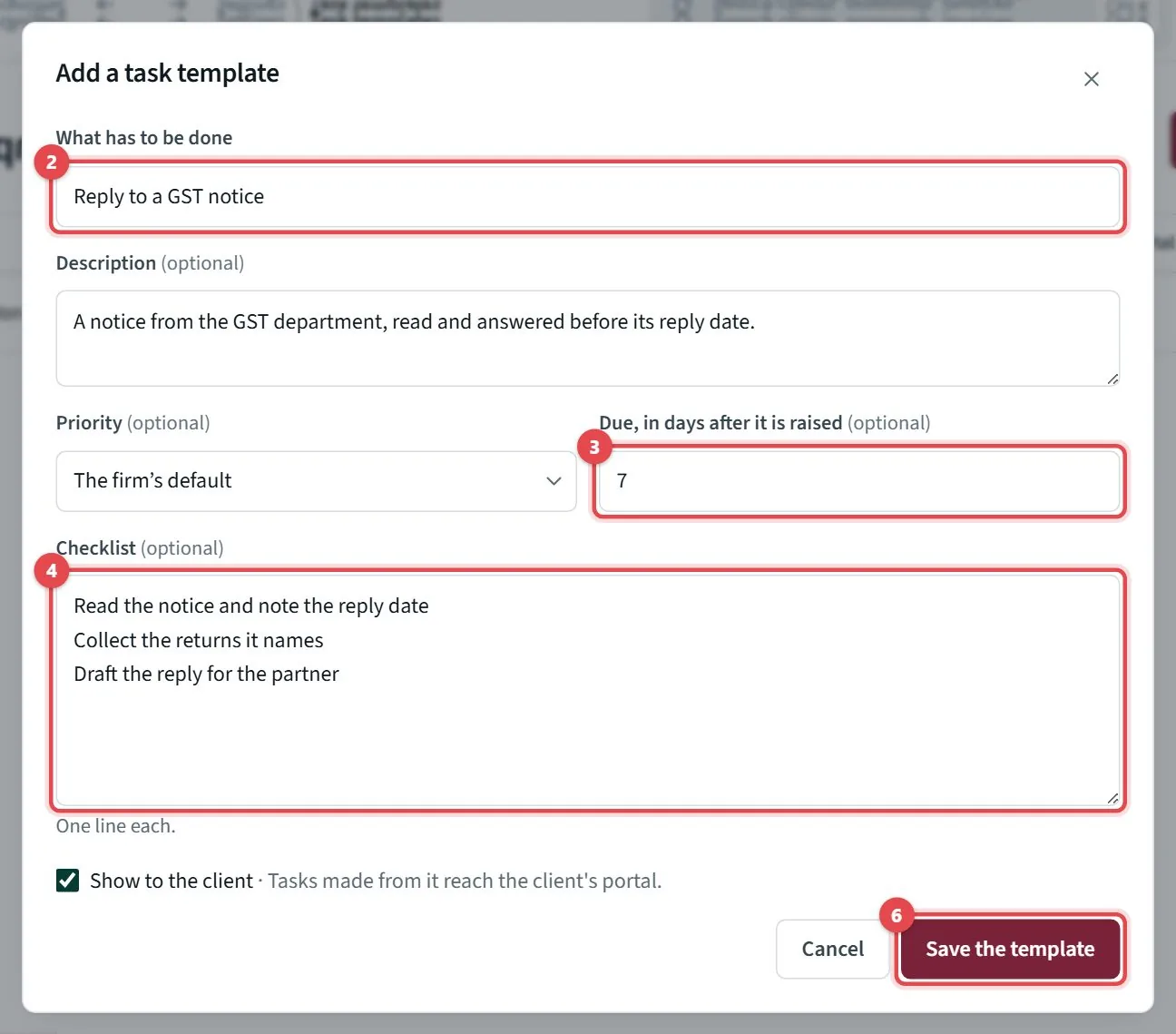 A task template with its due days (3) and checklist (4).
BiB says "Reply to a GST notice is saved. New task offers it." Click Change on its row to edit it.
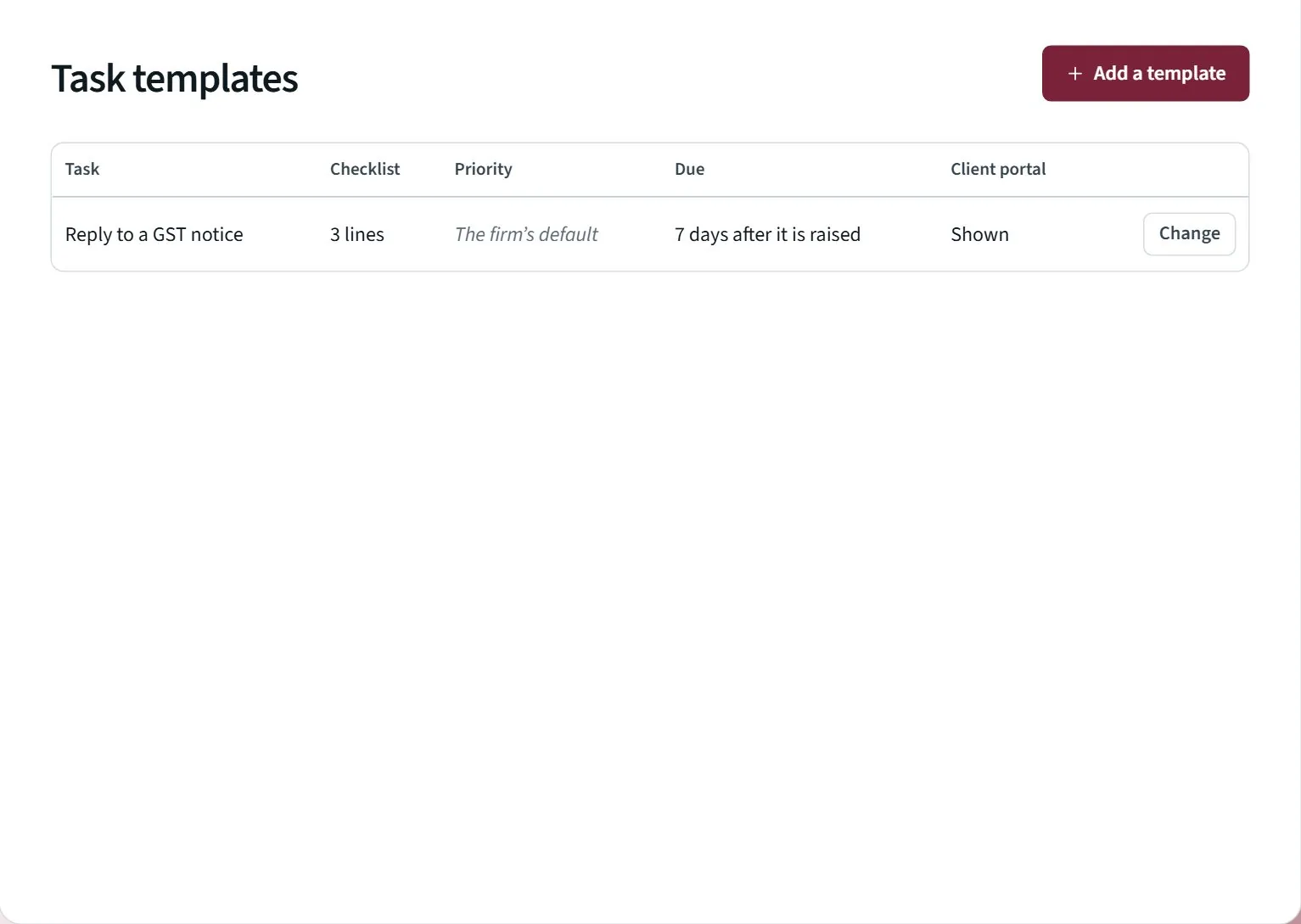 The saved template in the list.
Templates copy, they do not link. A task made from a template copies its checklist. Changing the template later does not change tasks already raised. There is no delete; change the template instead.