Decide who picks up client requests
Who can do it: Partner
Where: Settings › The firm › Structure
When a client asks you for something on the portal, it arrives in Client requests. Choose whose desk it lands on.
-
Open Settings › The firm › Structure and find When a client asks you for something, whose is it?
-
Choose one:
- Leave them for anyone to pick up: a new request waits on nobody's desk until someone clicks Take it. This is the default.
- Send them to the client's Key Manager: a new request goes straight to the desk of that client's Key Manager. A client with no Key Manager: it waits under Unassigned.
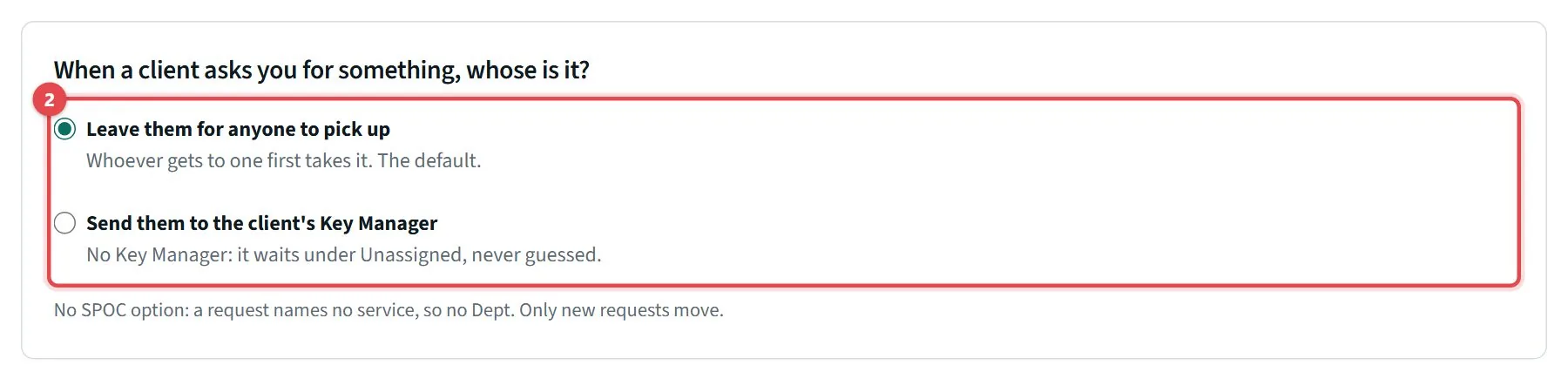 The choice saves the moment you click it.
BiB says "Saved. New client requests will go there." Only new requests move. Requests already in the inbox stay where they are.
Good to know
The Key Manager hears about every new request either way. Example: Arjun Mehta is Cobalt's Key Manager. With the default choice, a request from Cobalt waits on nobody's desk, and Arjun still gets a bell notice "A client request is on your desk".