Put your own reminder on the calendar
For something that is not a filing rule, for example "Ask Cobalt Foods for the board minutes".
Who can do it: Partner, manager or associate
Where: Work › Compliance calendar , tab Due
-
Click Add a reminder.
-
Choose the Client, type What to remember, pick the Date and how often it Repeats (Once, Monthly, Quarterly, Yearly).
-
To put a task on someone's desk too, tick Also put a task on someone's desk and choose Whose desk.
-
Click Add reminder.
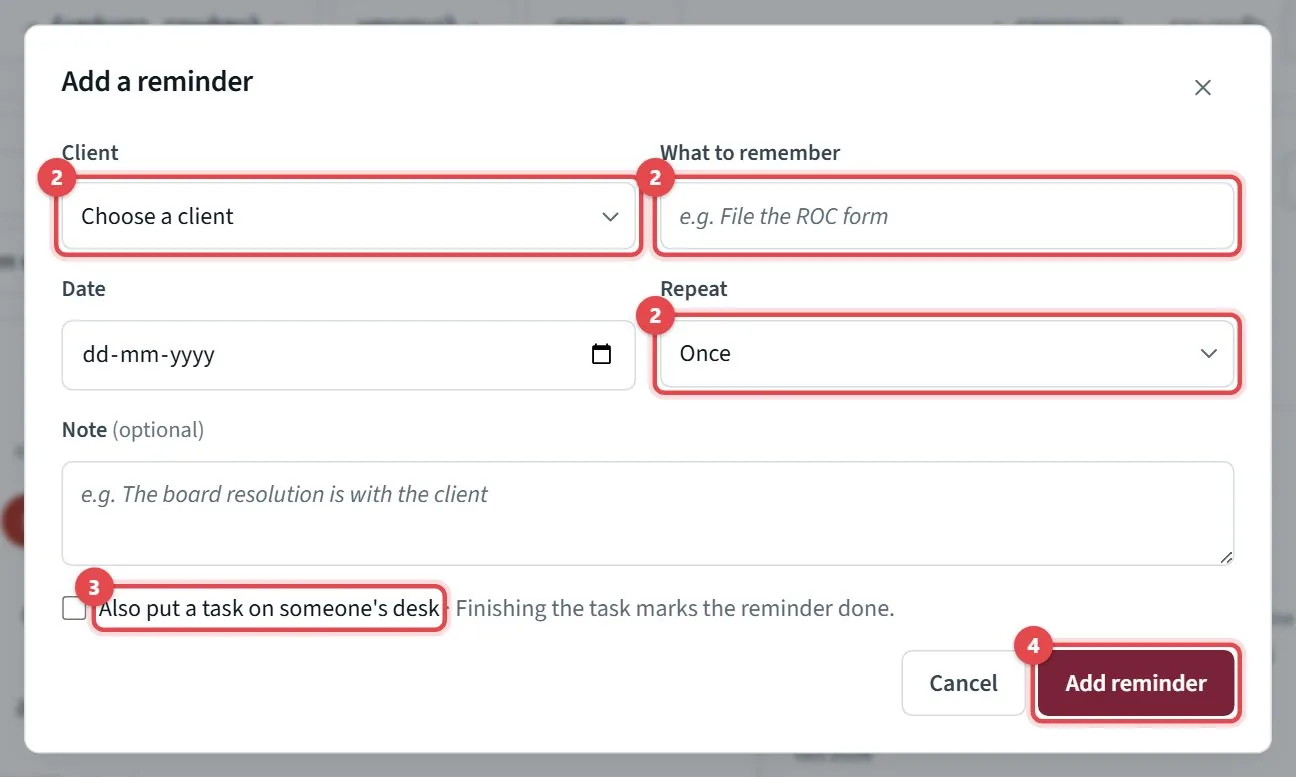 Your own reminder, with an optional task.
It shows as a dot on its day. Click Done when it is done; with a task, finishing the task marks it done.
Note
A reminder is not a filing. It is never missed, never goes to a partner, and the client never sees it.