Understand the two dates on every filing
Every filing (one return, for one company, for one period) has two dates:
| On screen | What it means | Who sees it |
|---|---|---|
| Legal deadline | The day the law says the return is due. | Your firm and the client. |
| Start by | The day your firm wants the work to START. | Your firm only. |
Start by = Legal deadline minus Start early. "Start early" is a number of days a partner sets on each rule.
October's GSTR-3B for Cobalt Foods (the sample firm). The law says GSTR-3B is due on the 20th of the following month, so October's return has its Legal deadline on 20 Nov. The partner set Start early to 6 days, so Start by is 14 Nov.
- 31 Oct · Period ends: October is over
- 13 Nov · Client heads-up: "A week to go" on the client's portal
- 14 Nov · Start by: the task appears on someone's desk
- 20 Nov · Legal deadline: the last day to file
- 21 Nov · Missed: it goes to a partner to decide
What happens on each date:
- Start by (14 Nov): early that morning, BiB puts the task GSTR-3B · Cobalt Foods on the work board. The task's Due date is the Legal deadline, 20 Nov, not 14 Nov.
- After Start by: if your firm has set up escalations, BiB reminds your staff. In the sample firm, the person on the task is told on 14 Nov, and the manager on 17 Nov if it is still open.
- Before the Legal deadline: the client gets heads-ups on their portal, counted back from 20 Nov (13, 17 and 19 Nov in the sample firm).
- Filed by 20 Nov: the filing reads Filed.
- Not filed by 20 Nov: overnight it becomes Missed and goes to Needs a decision, where a partner decides what happens.
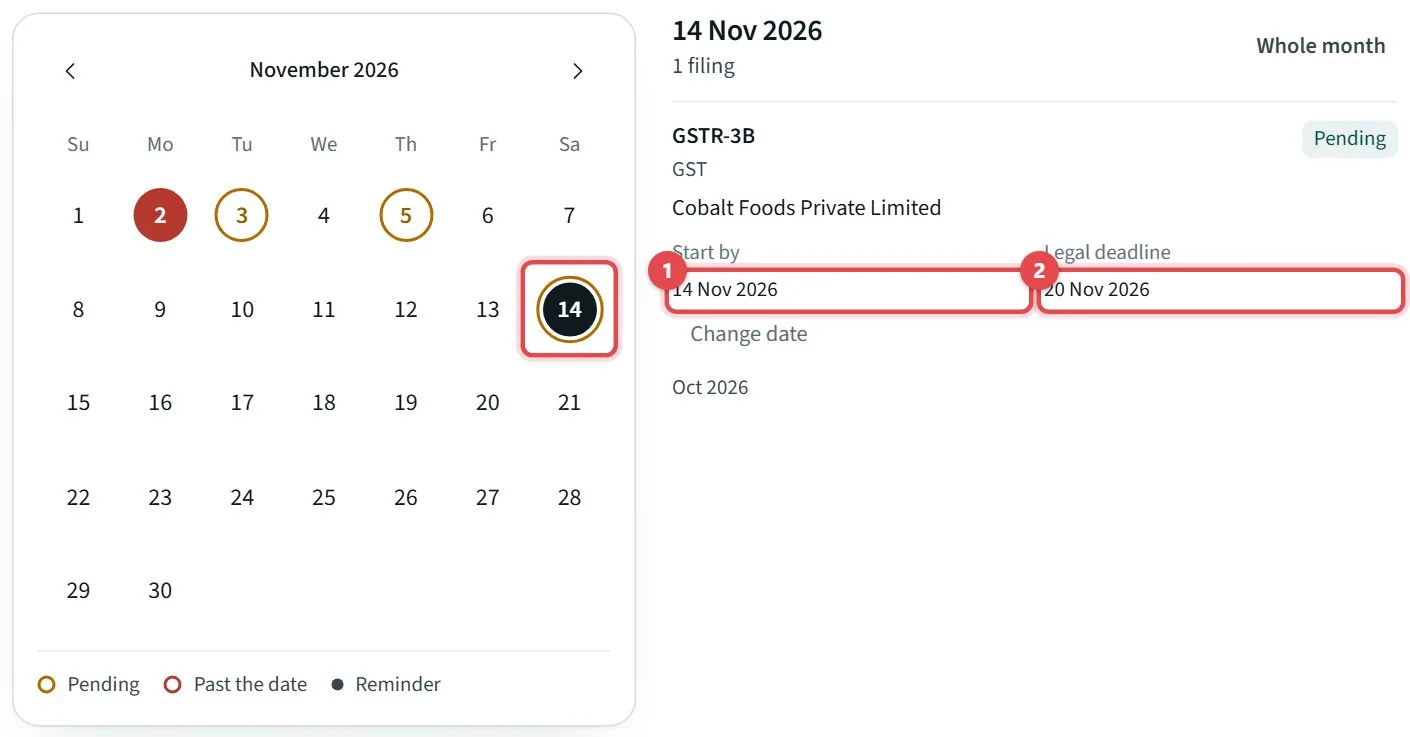 On the calendar: Start by (1) and Legal deadline (2) on October's GSTR-3B.
Until a partner sets Start early, the two dates are the same. Every rule that comes with BiB has Start early 0. Then the task appears on the deadline day itself, with no time to do the work. If both dates on a filing are the same, ask a partner to set Start early (see Part 1, "Set how many days early work starts").
 The rule behind it: due the 20th of the following month, Start early 6 days.
The same rule, any month. GSTR-3B for August: Legal deadline 20 Sep. With Start early 5, Start by is 15 Sep. The task appears on 15 Sep. It is missed if nothing is filed by 20 Sep.
Some screens use other words for the same two dates:
| Legal deadline is also called | Start by is also called |
|---|---|
| Government due (in the Command center) | Our target (in the Command center) |
| "statutory date" (in some messages) | "internal target" (in some messages and escalations) |
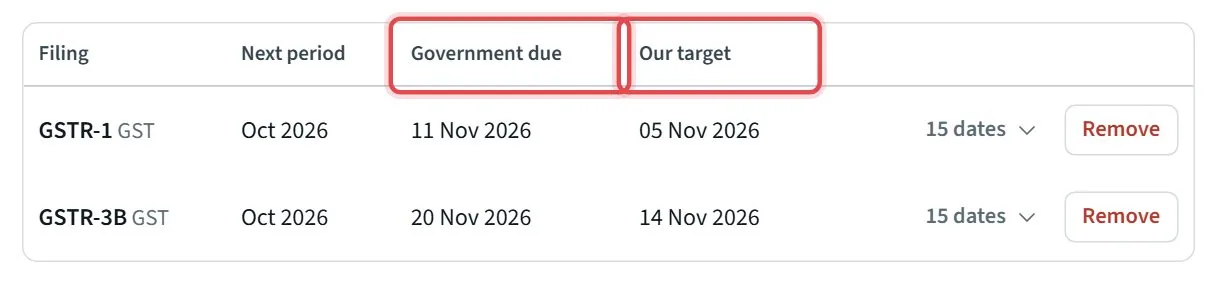 The Command center shows the same two dates as Government due and Our target.