Add a client company
Who can do it: Partner, manager or associate
Where: Commercial › Clients
Before you start: Know the company's legal name, its country and what kind of company it is.
- Click Add a client.
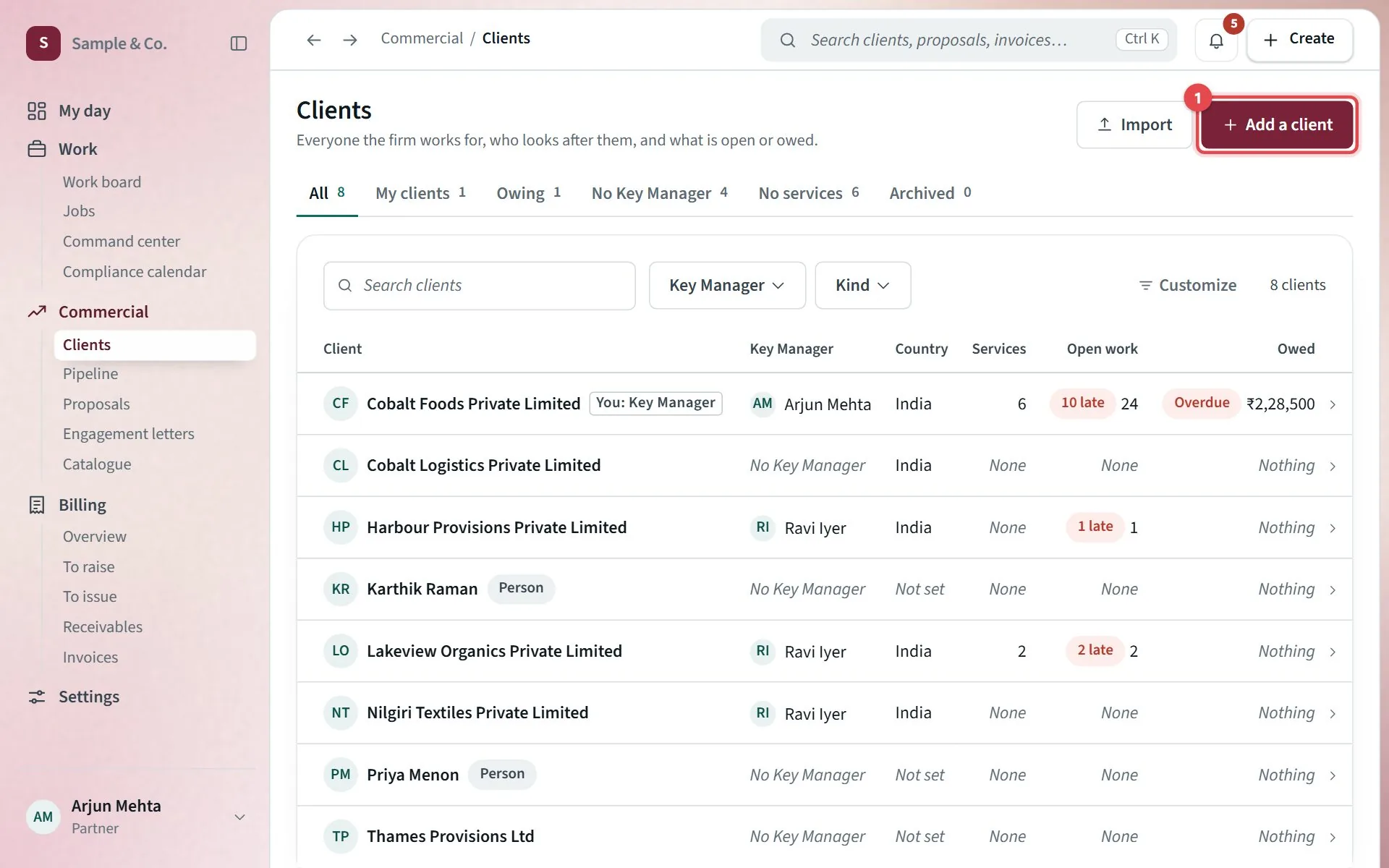 The client list. Add a client is at the top right.
-
On the Company tab, type the Legal name, exactly as on the certificate. Trade name, Industry and Website are optional.
-
Choose the Country and the Kind of company (for example Private limited company or LLP).
- For India, Year ends is fixed at 31 March. For any other country, choose the month and day the company's year ends.
-
Click Add.
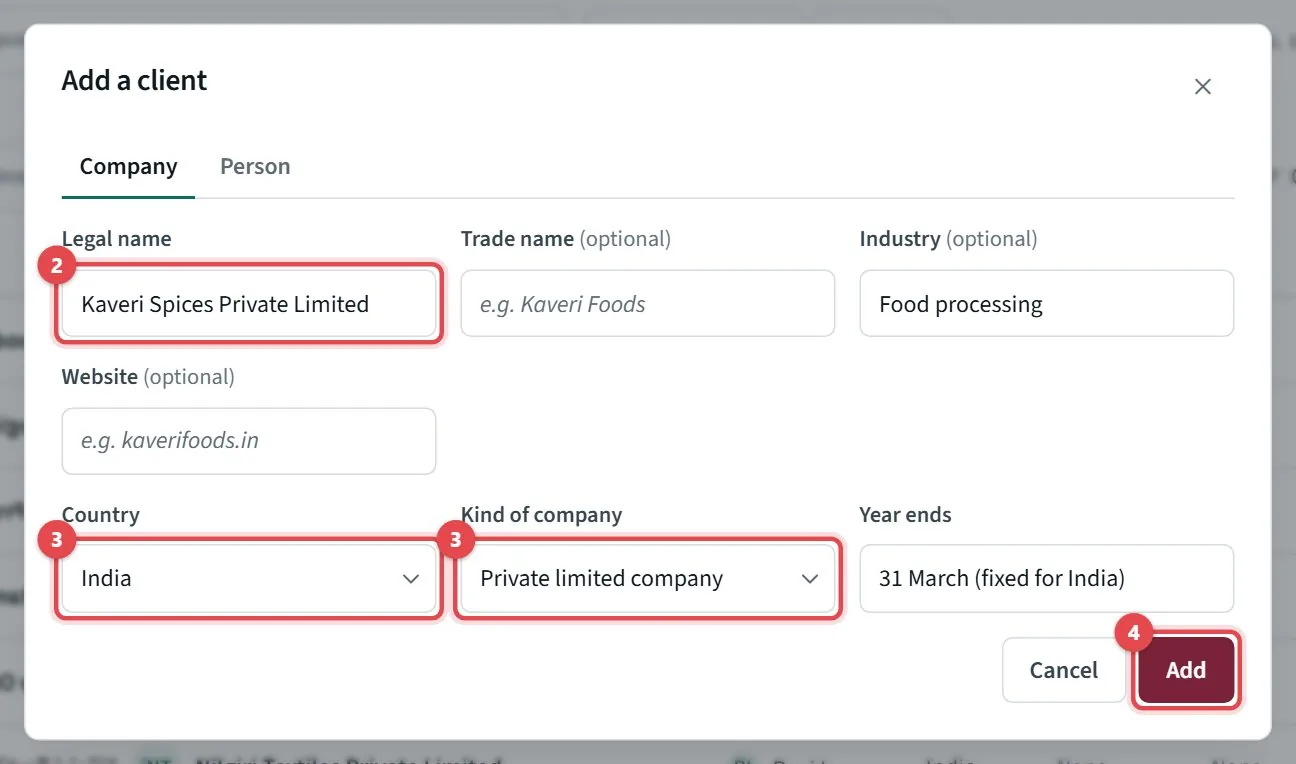 The Add a client form, filled in for a new company.
BiB opens the new client's page. Next, add its PAN and other numbers, its people and its account team (the tasks below).
Country and kind of company drive the compliance calendar. BiB works out a client's filings from these two answers. Example: a UAE company with year end 31 December gets its filings counted from 31 December, not 31 March.
You may see Fill from GST certificate or Fill from trade licence (UAE). These read a certificate and fill the form for you. They only appear if your firm has them switched on. Typing works the same.
| You see | Do this |
|---|---|
| "A client called … already exists. Add this one only if it is a different company." | Search the client list first. If it really is a different company, click It is a different company, add it. |
| "… was added. … Open the client to add them by hand." | The client was saved, but one detail (for example the PAN) was not. Open the client and add it under Identifiers. |