Register a client company
Who can do it: Partner, manager or associate
Where: Commercial › Clients , then the client, then Registration
A company that came in as a lead, or without a country, shows To do beside Registration. Until it is registered, the calendar shows no filings for it and you cannot write a proposal or letter for it.
-
Open the client and click Registration.
-
Choose the Country and the Kind of company. Outside India, also choose the month and day under Year ends. Incorporated is optional.
-
Click Register.
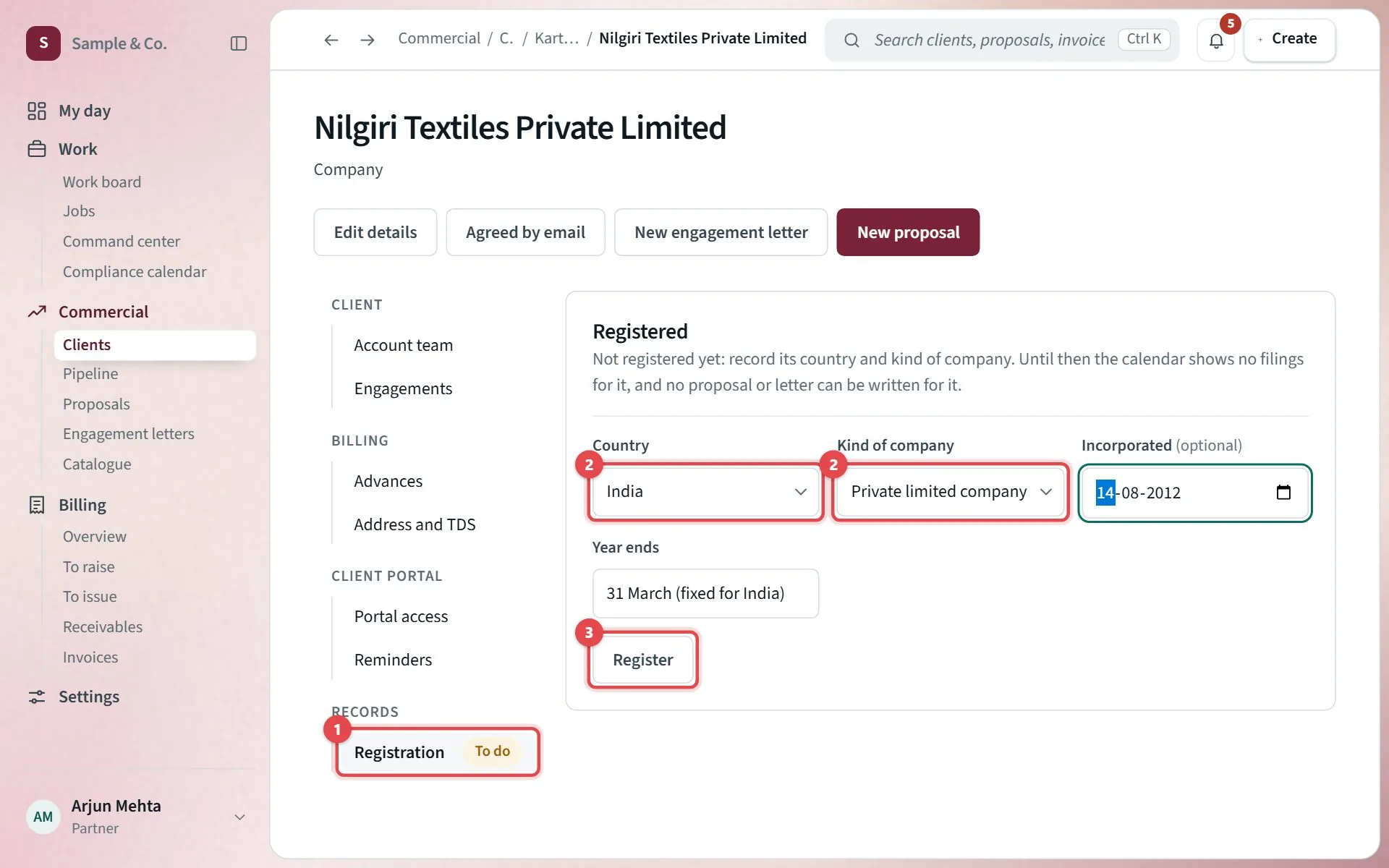 Registering Nilgiri Textiles, which came in as a lead.
To correct it later, open Registration again and click Change country, kind or year end.
One company, one country. A company is registered in one country only. If an Indian client also has a Dubai company, add the Dubai company as its own client and link the two under Relationships. If you try to register the same company in a second country you see: "This company is already registered in … A company in another country is its own client: add it as a client and link the two as one group."