Choose who signs your engagement letters
Who can do it: Partner
Where: Settings › The firm › Your firm › Signing
Before you start: The signer has been added on People.
-
Open Signing.
-
The first time, pick Who and type Signs as (printed under the signature, for example
Managing Partner). Click Save.
-
To add another signer, click Add a signatory (3). Pick Who, type Signs as, tick Make them the default if they should sign new letters, and click Add.
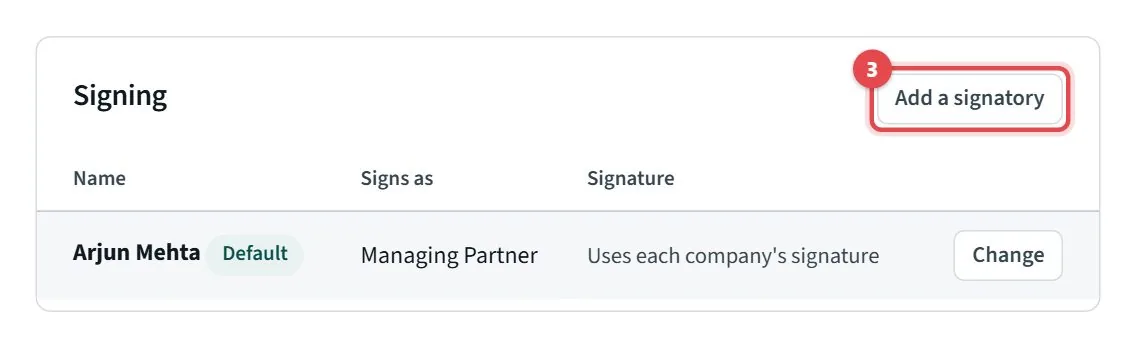 The signers. The Default one signs new letters.
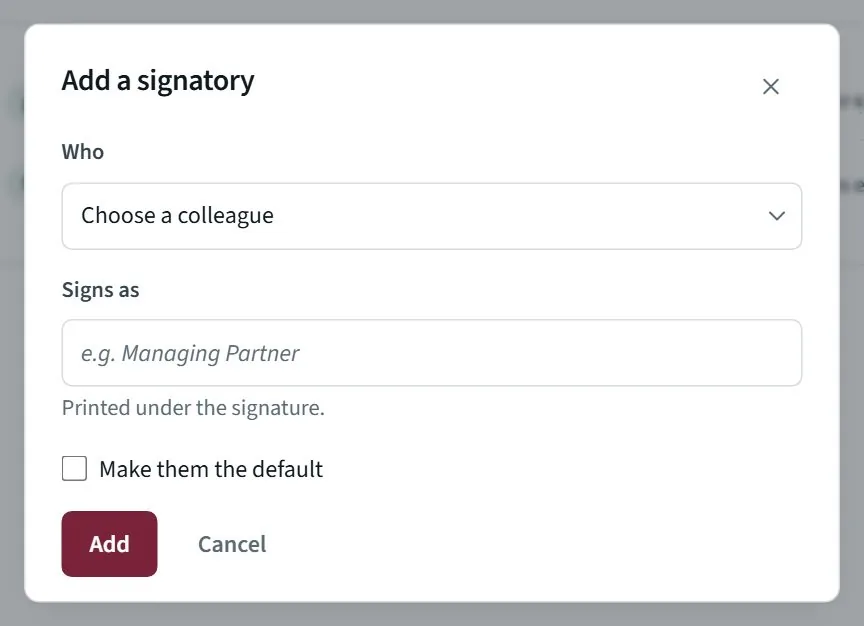 Add a signatory.
-
To change a signer, click Change on their row. There you can upload a Signature image (PNG or
JPEG).
-
A signer who is not the default also has More, with Make default and Retire.
Until someone is named, letters go out unsigned. The default signer has no More. To retire them, make someone else the default first.