Sign in for the first time
Who can do it: Everyone
Where: The sign-in page, or the link in your welcome email
-
Open your welcome email, "Sample & Co. has added you to BiB", and click Choose your password.
- Your BiB contact may have given you a password instead. Then go straight to step 4.
-
Type a password in Password and again in Type it again. Use at least 12 characters.
-
Click Set password and sign in. You are in, on My day.
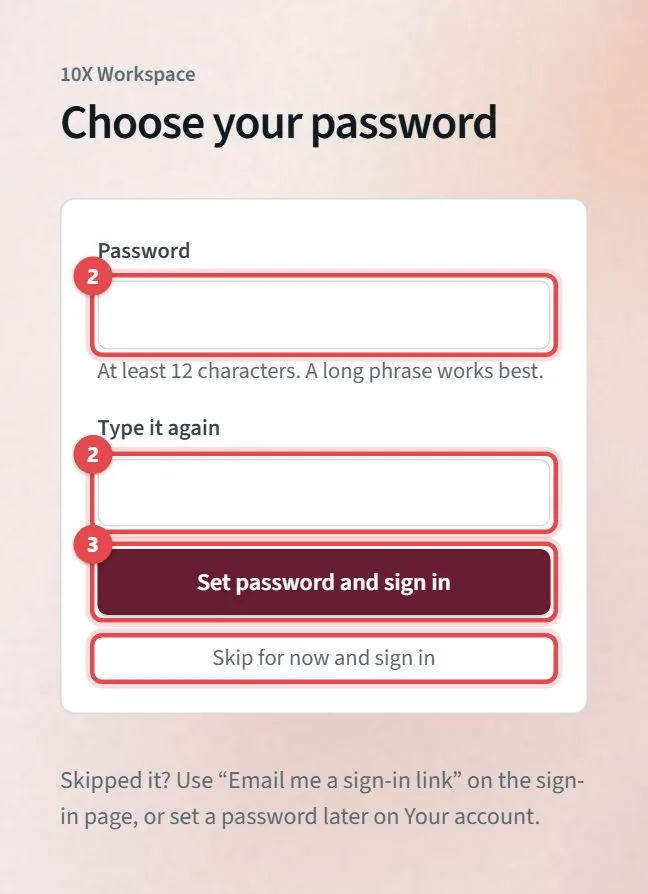 The page the welcome email opens. Choose a password (2) and click Set password and sign in (3).
- Next time, open the sign-in page, type your Email and Password (1), and click Sign in (2).
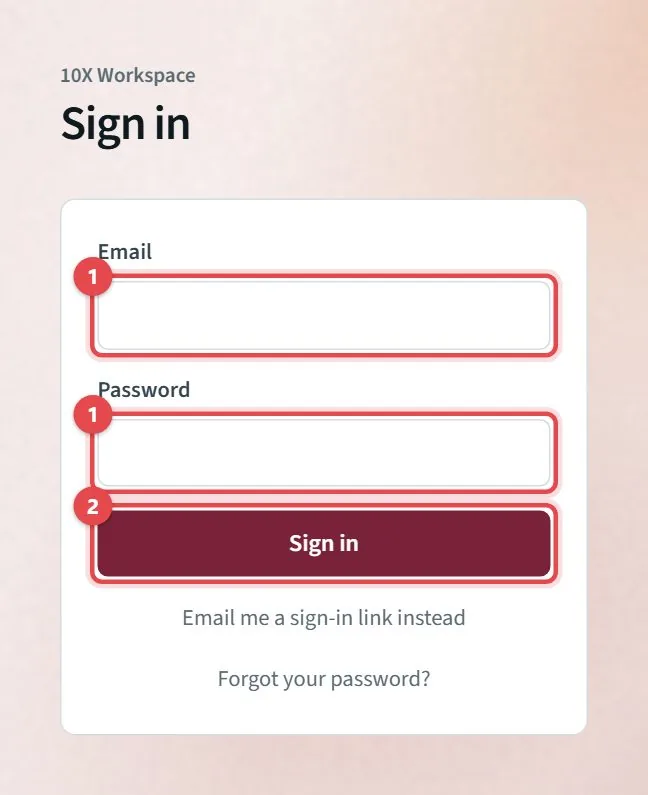 The sign-in page.
The welcome link lasts 72 hours. Added on Friday evening, it still works on Monday morning. After that, use Email me a sign-in link instead on the sign-in page. Rather not choose a password now? Click Skip for now and sign in.
Length is the only rule for a password. "At least 12 characters. A long phrase works best." For example, monsoon tea at four is fine.