Set your go-live day and financial year
Who can do it: Partner
Where: Settings › The firm › Your firm › Deadlines
Before you start: Decide the day you start running compliance work in BiB.
-
Open Deadlines.
-
In Count from, pick your go-live day.
-
In Financial year starts, pick April.
-
Click Save (4). BiB says "Deadlines saved."
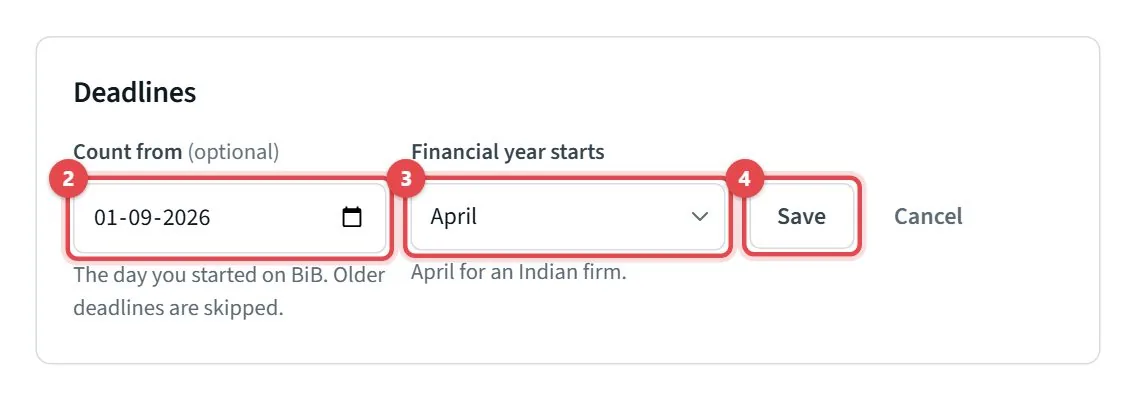 Deadlines: your go-live day (2), financial year (3) and Save (4).
The card now shows what you chose. To change it later, click Change.
 Sample & Co. counts from 1 September 2026.
Deadlines before Count from never become work. That is on purpose: you filed those before BiB. For example, with Count from set to 1 November 2026, the GSTR-3B due on 20 October is skipped and the one due on 20 November becomes a task. Set the day too late and real deadlines are skipped. When in doubt, pick an earlier day.