Decide who can raise, issue and see fees
Who can do it: Partner
Where: Settings › The firm › People and Settings › The firm › Roles
Two separate settings decide what a person can do with money: their role, and whether they can see Fees.
| Job | Partner | Manager | Associate |
|---|---|---|---|
| See the billing lists | Yes | Yes | Yes, amounts hidden unless Fees is Visible |
| Raise a draft invoice, record a payment, email an invoice | Yes | Yes | Only if Fees is Visible |
| Skip a bill, raise an advance | Yes | Yes | No |
| Issue, cancel, send back, credit notes | Yes | No | No |
| Billing settings, credit hold and legal decisions | Yes | No | No |
These are BiB's standard roles. Your firm can change them under Settings › The firm › Roles , for example to let an accounts person issue invoices.
To show or hide fees for one person:
-
Open Settings › The firm › People .
-
In the Fees column on that person's row, choose Visible or Hidden.
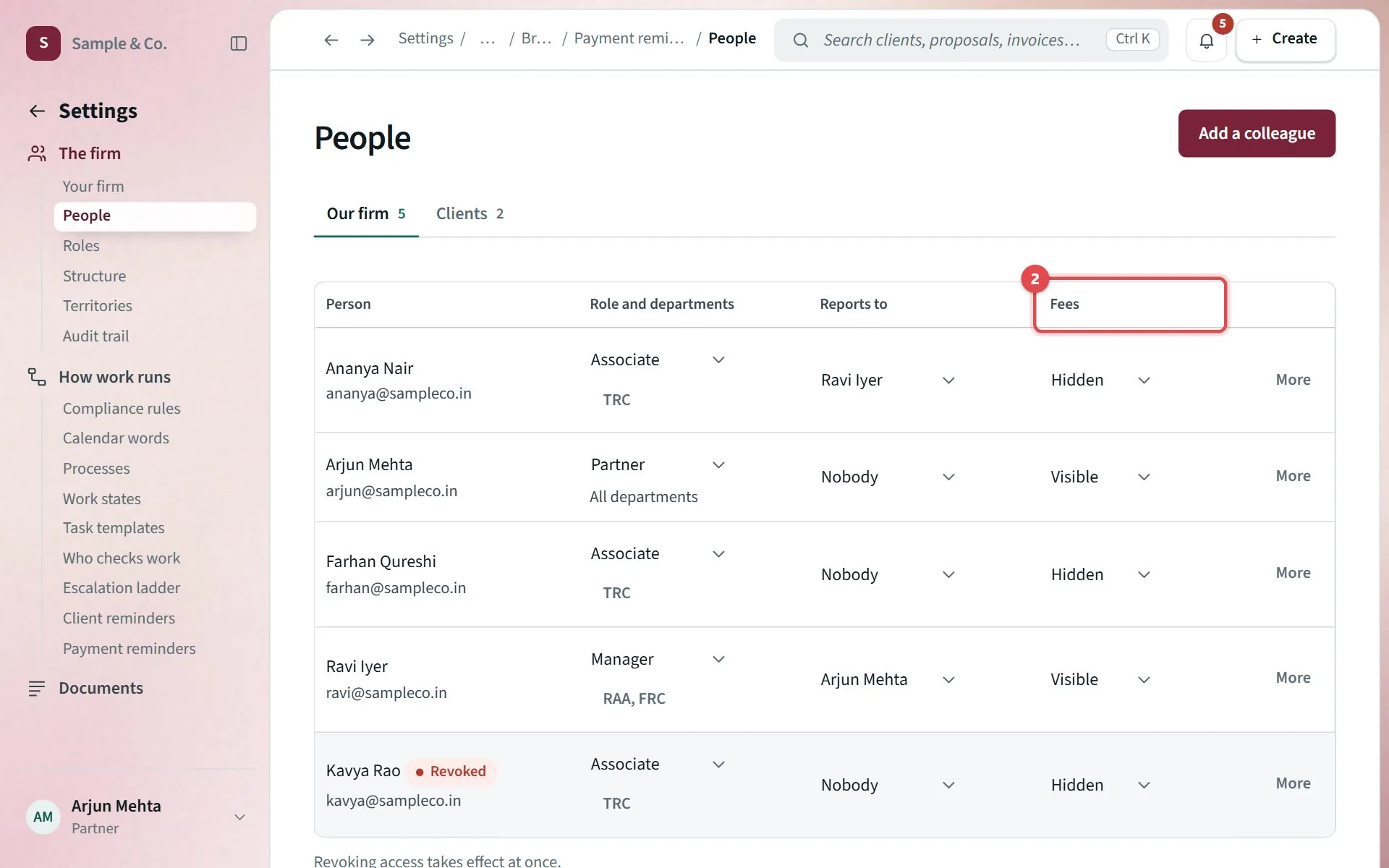 The Fees column (2). In the sample firm, both associates have fees hidden.
BiB says, for example, "Saved. Ananya Nair's fees are now visible."
A person with fees hidden still sees clients, work and invoices, but every amount reads "Hidden", and Billing says "Amounts are hidden for your login."
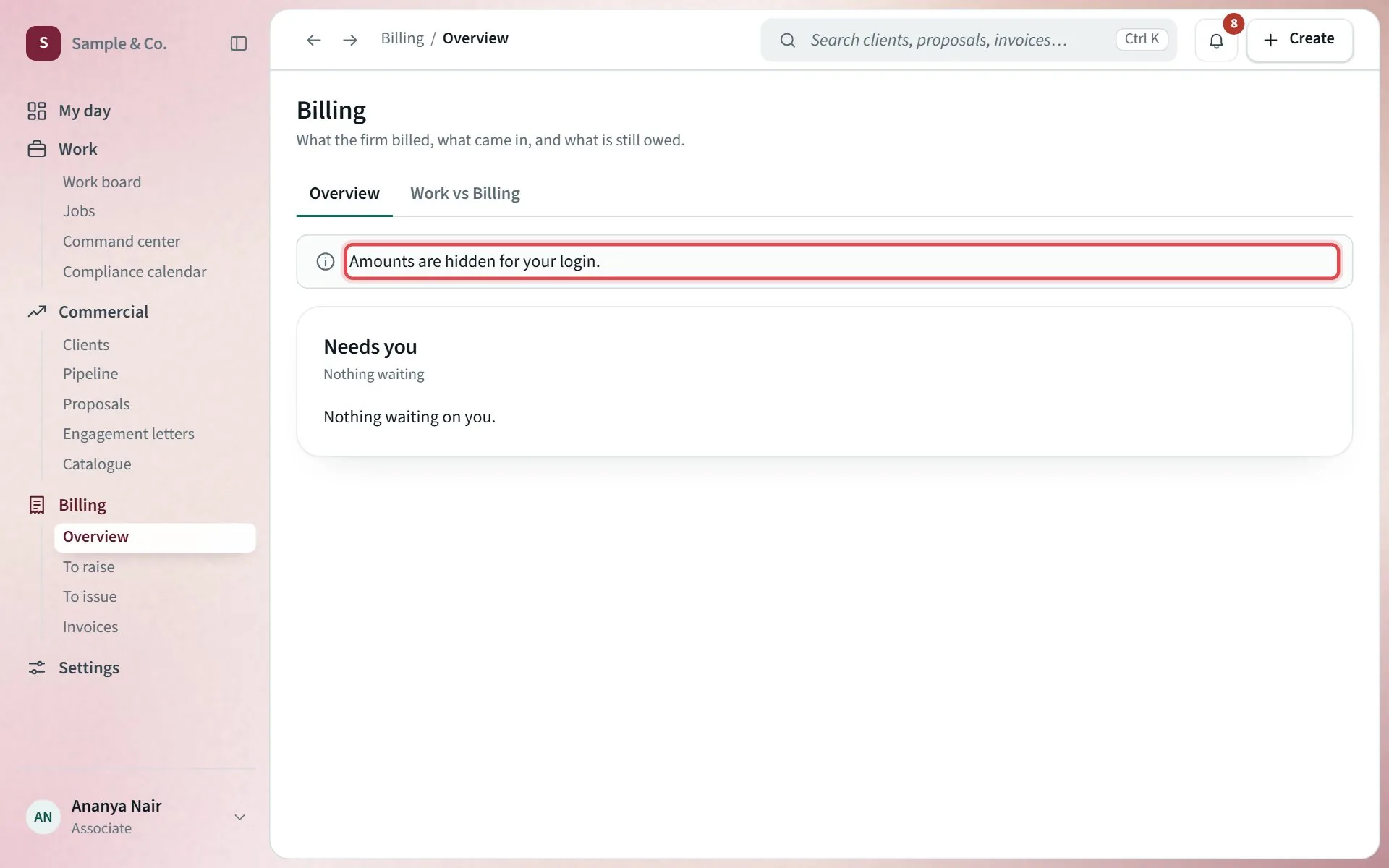 What an associate with fees hidden sees on Billing.
A promotion does not show fees. Fees are set apart from the role. Make an associate a manager and their fees stay hidden until you change Fees too. BiB reminds you: "Fees are still hidden for them; change that under Fees."