Record work the client agreed to by email
Who can do it: Partner only. Others see "Only a partner can record work the client agreed to outside bib…".
Where: Commercial › Engagement letters , then Agreed by email
For work the client has agreed to by email or on a call, with no letter to sign.
-
Under 1. Client, choose the client (or add one on the New client tab). Check the line "From …, under … law, fees in …"; click Change beside it if another of your companies should issue it. Set Work starts on ("Jobs and billing count from this day. It can be in the past.").
-
Under 2. Services agreed, tick the services. Type in Find a service to search the list.
-
Under 3. The client's yes, choose How they agreed and the day (On). Type Who at the client, Their role and a Note of what they agreed to. Under The email or screenshots, attach at least one file.
-
Click Record and start work, then Record and start work again in the box that opens.
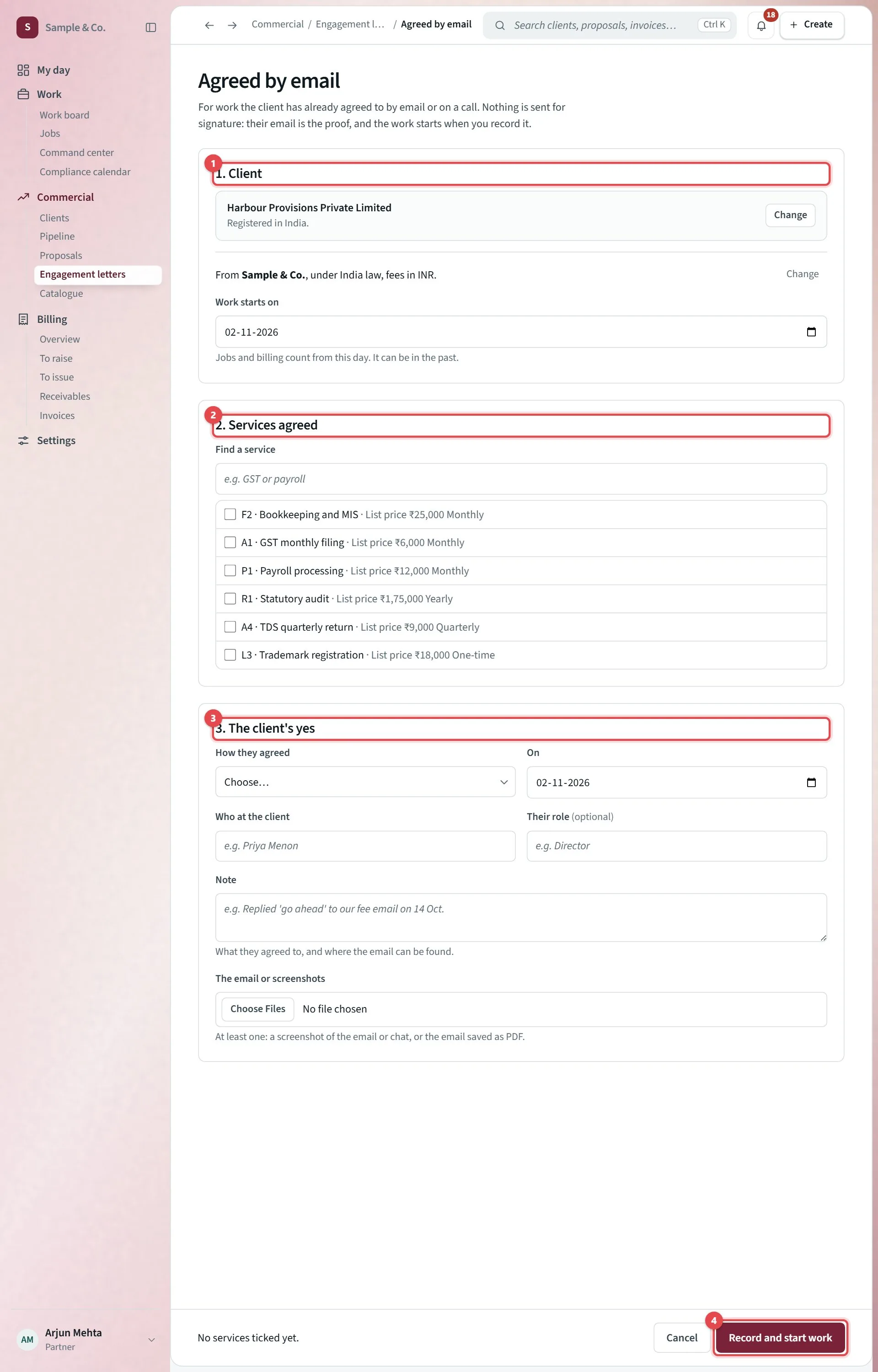 Recording work agreed by email.
BiB keeps it as a signed letter, and the services wait in the Command center like any signed letter.