Start a letter without a proposal
Who can do it: Partner, manager or associate
Where: Commercial › Engagement letters , then New engagement letter. Or the client's page.
Before you start: The client is registered. The person you will address it to is linked under the client's Relationships.
The letter builder has three steps: Client, Services, Preview and send.
-
Click New engagement letter. Keep Start blank chosen.
-
Choose the Client.
-
Check the Country (it decides the terms and which of your companies issues the letter), Your company and Currency.
-
Fill in The letter:
- Subject: starts as "Engagement Letter for …".
- Addressed to: a person linked to the client, or Nobody named (the company).
- Work begins: leave it empty for "the day it is signed".
- Background: optional, a few lines about the client.
-
To ask for money up front, tick Ask for an advance and type the amount.
-
If this letter takes over from a signed one, choose it under Replaces. For a first letter leave "Nothing, this is a new agreement".
-
Click Next: Services.
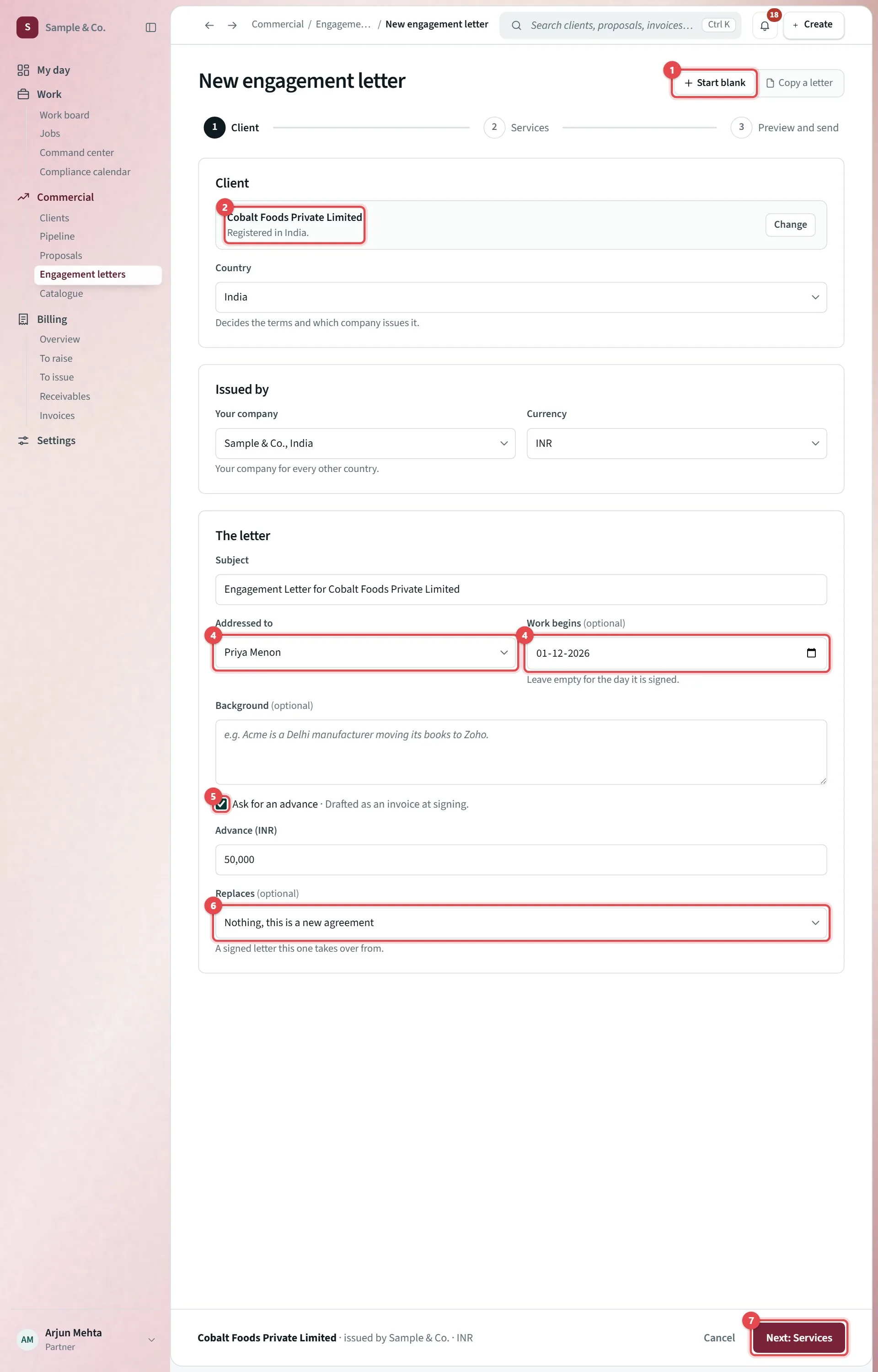 Step 1 of a new letter for Cobalt Foods, addressed to its director.
Work begins is the day billing and jobs count from. Example: signed on 10 December with Work begins 1 December: the monthly GST fee is billed from December. Left empty, it counts from 10 December.
| You see | Do this |
|---|---|
| "Choose the client this letter is for." | Pick a client in step 2. |
| "… has no country recorded … Record its country and company type on its client page first…" | Register the client (see "Register a client company" in the setup guide). |
| "Replace the letter's wording?" | You changed the client or country. Replace and continue loads that country's standard wording; Keep it as it is keeps yours. |