Answer a client request
Who can do it: Partner, manager, associate
Where: The bell at the top of any screen › Client requests › Open the inbox
Client requests are not in the sidebar. They live in the bell.
-
Click the bell (Notifications) at the top right.
-
Click the tab Client requests. Requests on your desk come first, then those on nobody's desk.
-
Click Open the inbox.
Client requests in the bell: two on nobody's desk, one of them waiting on the firm.
On the Client requests page:
-
Pick a tab: Mine, Unassigned, Everything or Finished.
-
Click Take it to put the request on your desk, or choose a colleague in Whose desk.
-
Click Reply.
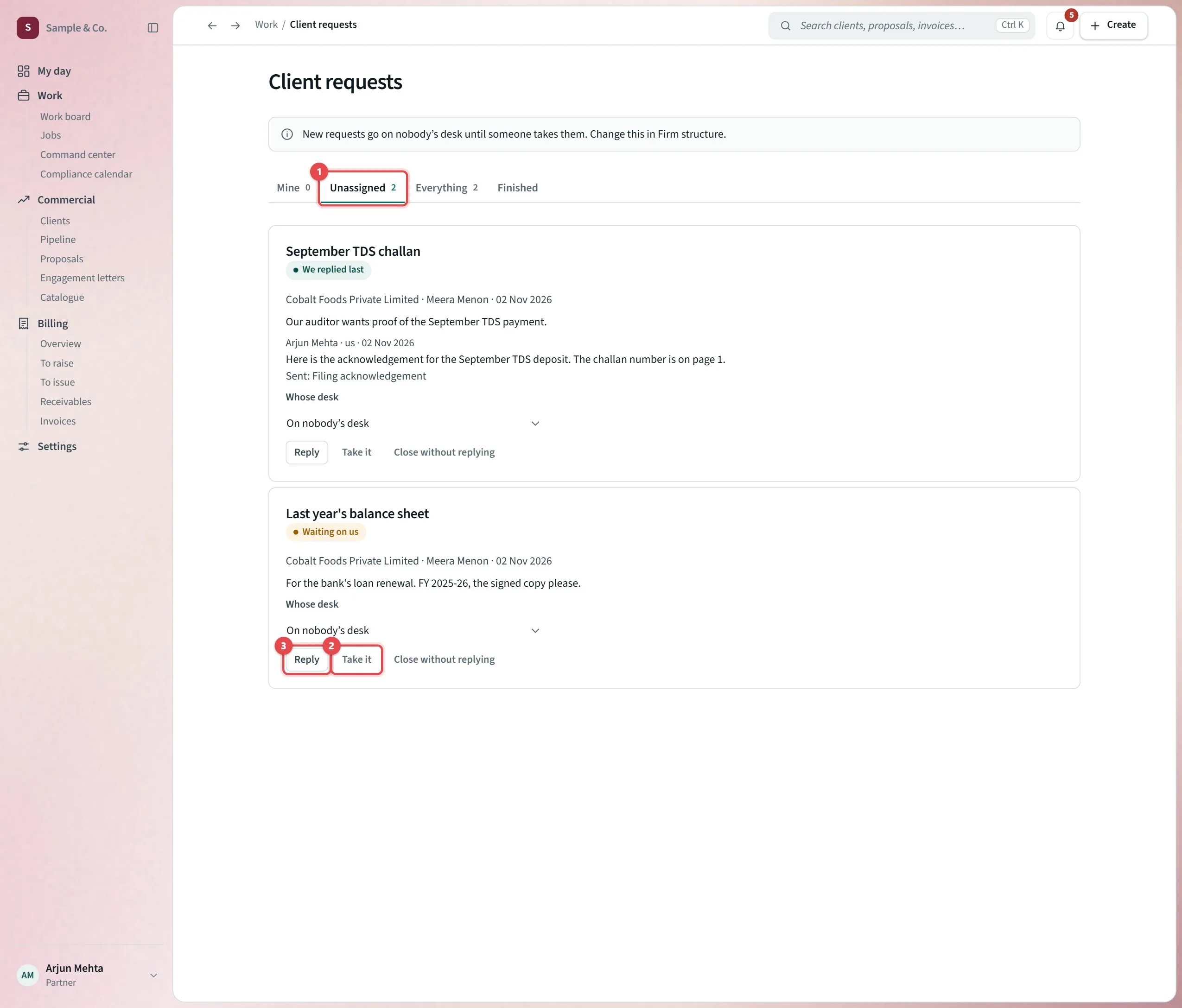 The inbox: take it, reply to it, or close it.
To reply:
-
Type Your reply.
-
To send a document, choose it in Send them a document. "(not shared yet)" means sending it will share it on their portal; "(they already have this)" means it is shared already.
-
Click Send to keep the request open, or Send and close if you are done.
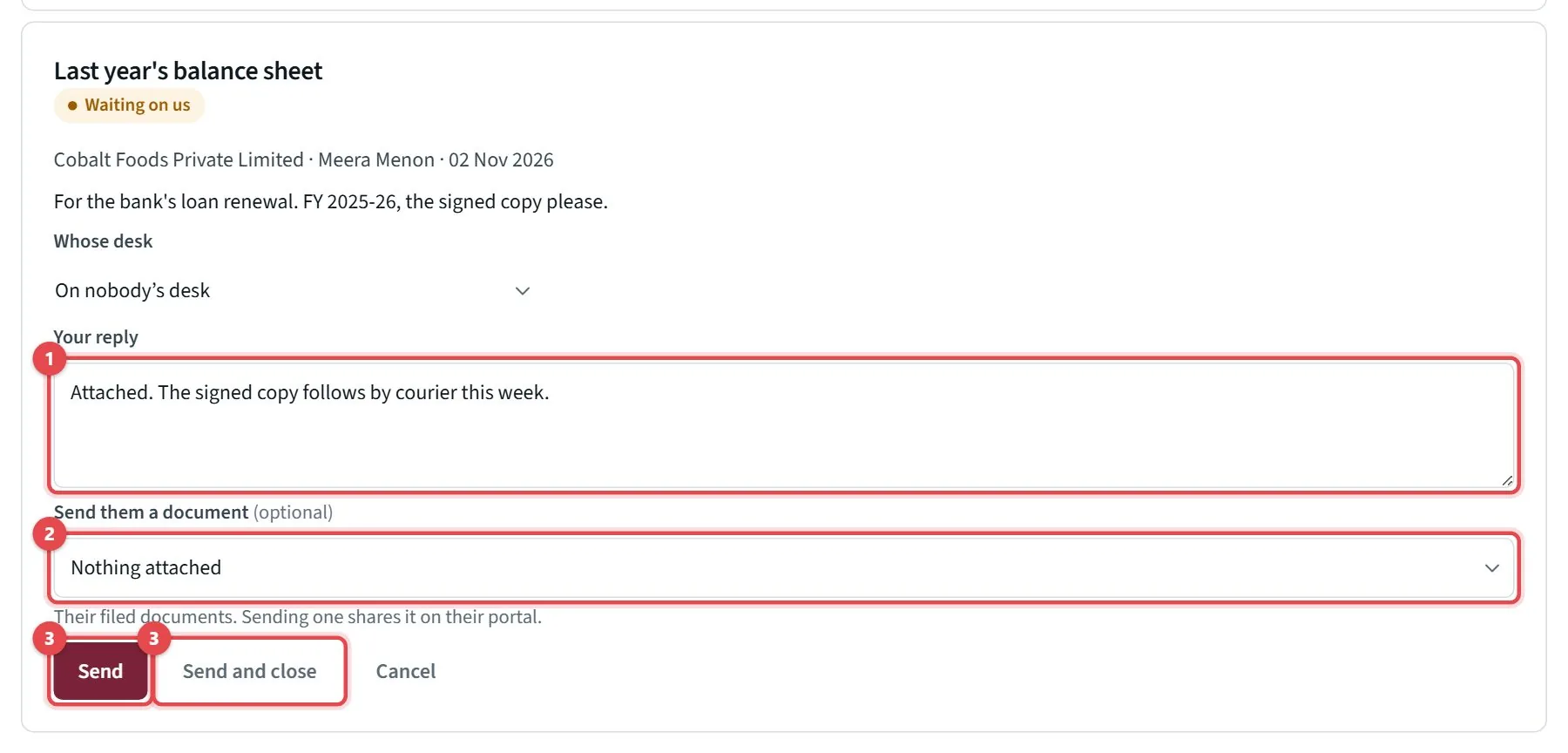 Writing a reply. Attaching a document is optional.
The pill on the request changes from Waiting on us to We replied last. If the client writes again, it says They came back. Closed requests move to Finished.
The client is not emailed your reply. They see it the next time they sign in. If it is urgent, call them as well.
A duplicate request? Close it without a reply. Click Close without replying, then Close it.
Clicking a request in the bell opens its record page. It says "Still open. Reply, hand it on or close it on Client requests." Click that link to work on it.
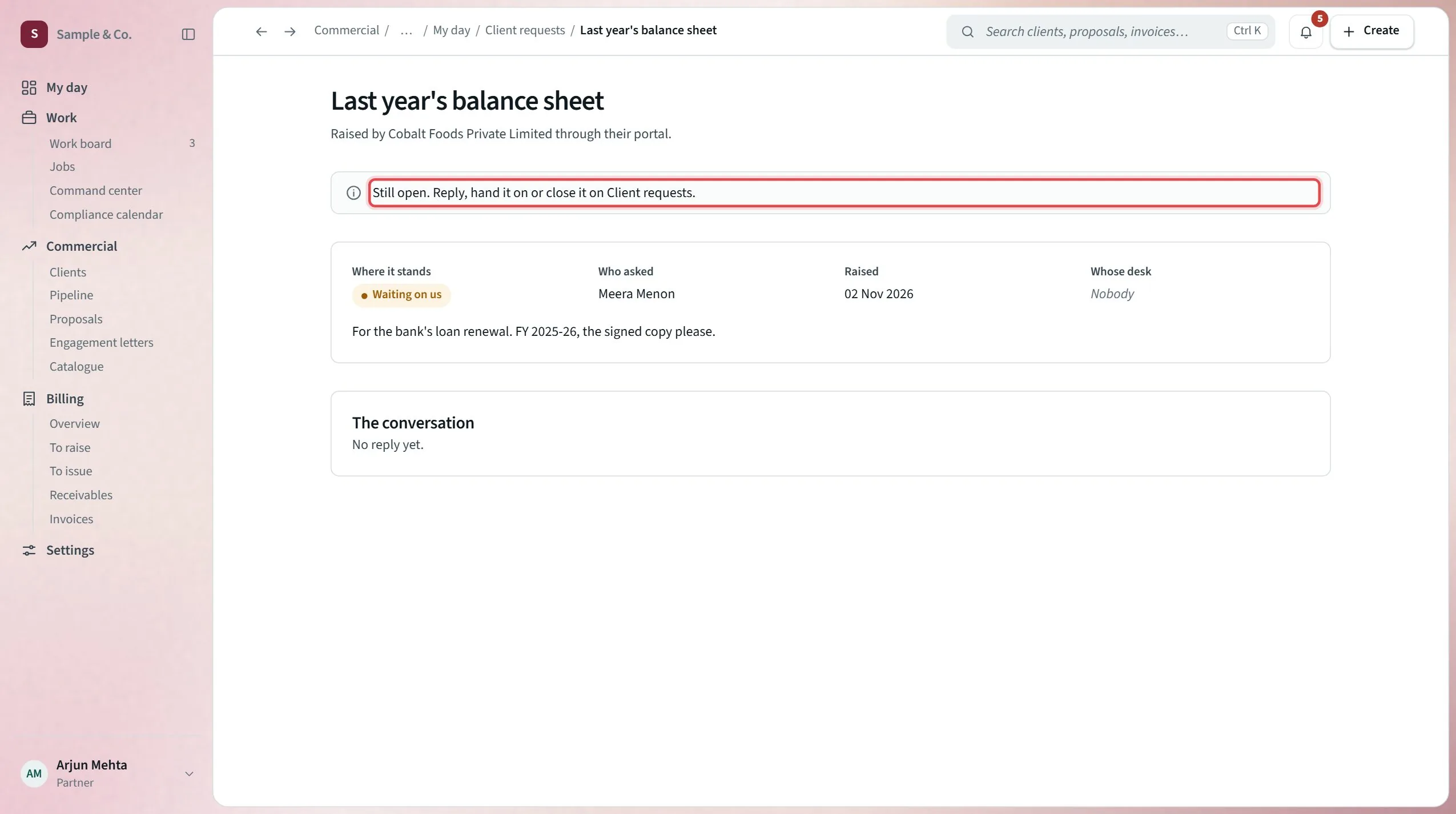 The record page of an open request.
| You see | Do this |
|---|---|
| "Your reply was sent, but closing it did not: …" | The reply reached the client. Click Close without replying if it still needs closing. |
| A message that the request is already withdrawn | The client took it back with Never mind. Nothing to do. |