Help a client answer what you asked
Who does it: Your client (a login set to Client contact)
Where: Requests, tab Waiting on you
-
They open Requests. The tab Waiting on you lists every open ask: a document, a question or an approval, with your words and the task it is about.
-
They click the button on the row: Send the file, Answer, or Approve or decline.
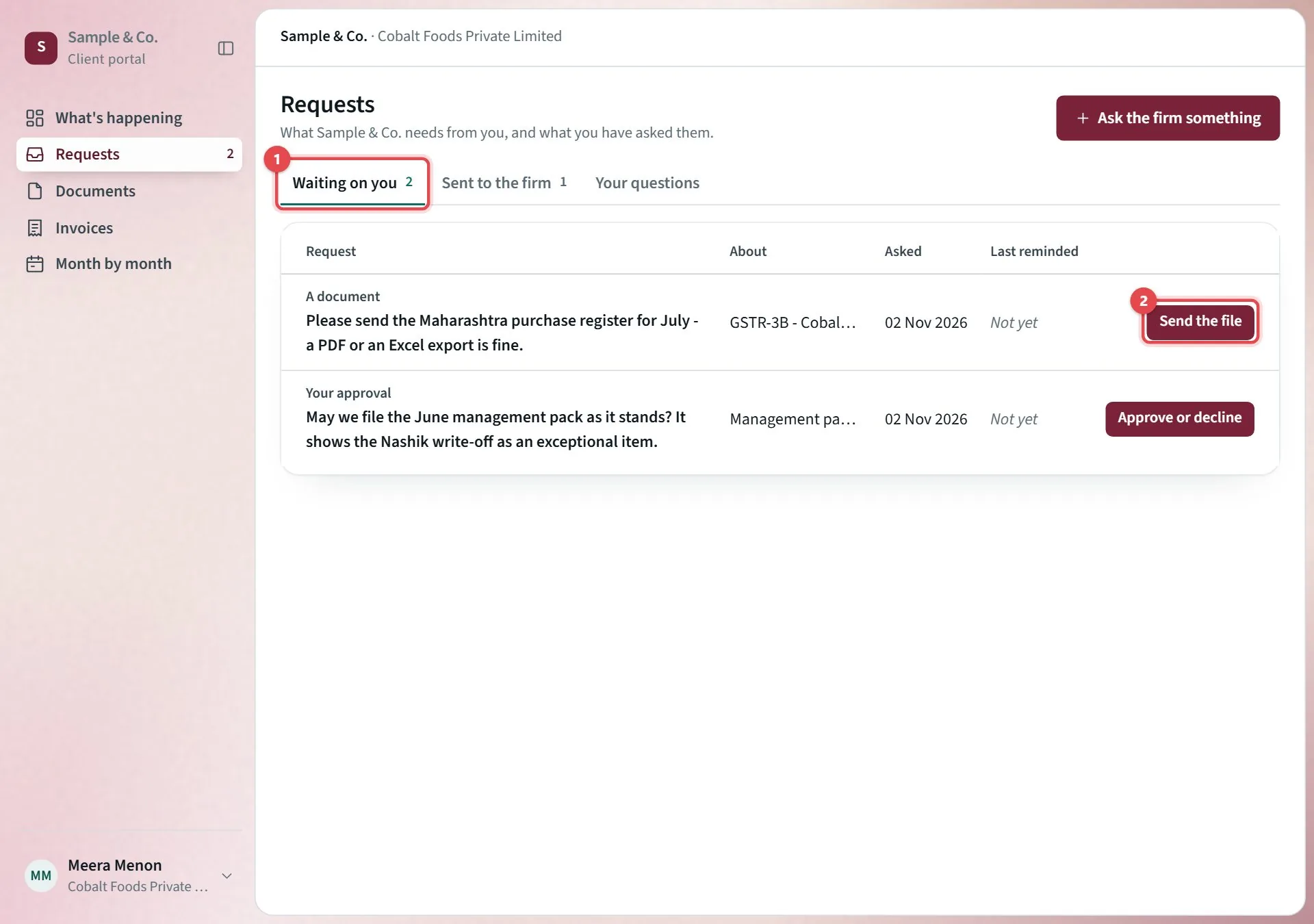 Two things are waiting on Meera: a document and an approval.
-
For a document, they choose The file and can add a line in Anything to say about it (optional).
-
They click Send the file. If they do not have the file, they type why and click Answer in words instead.
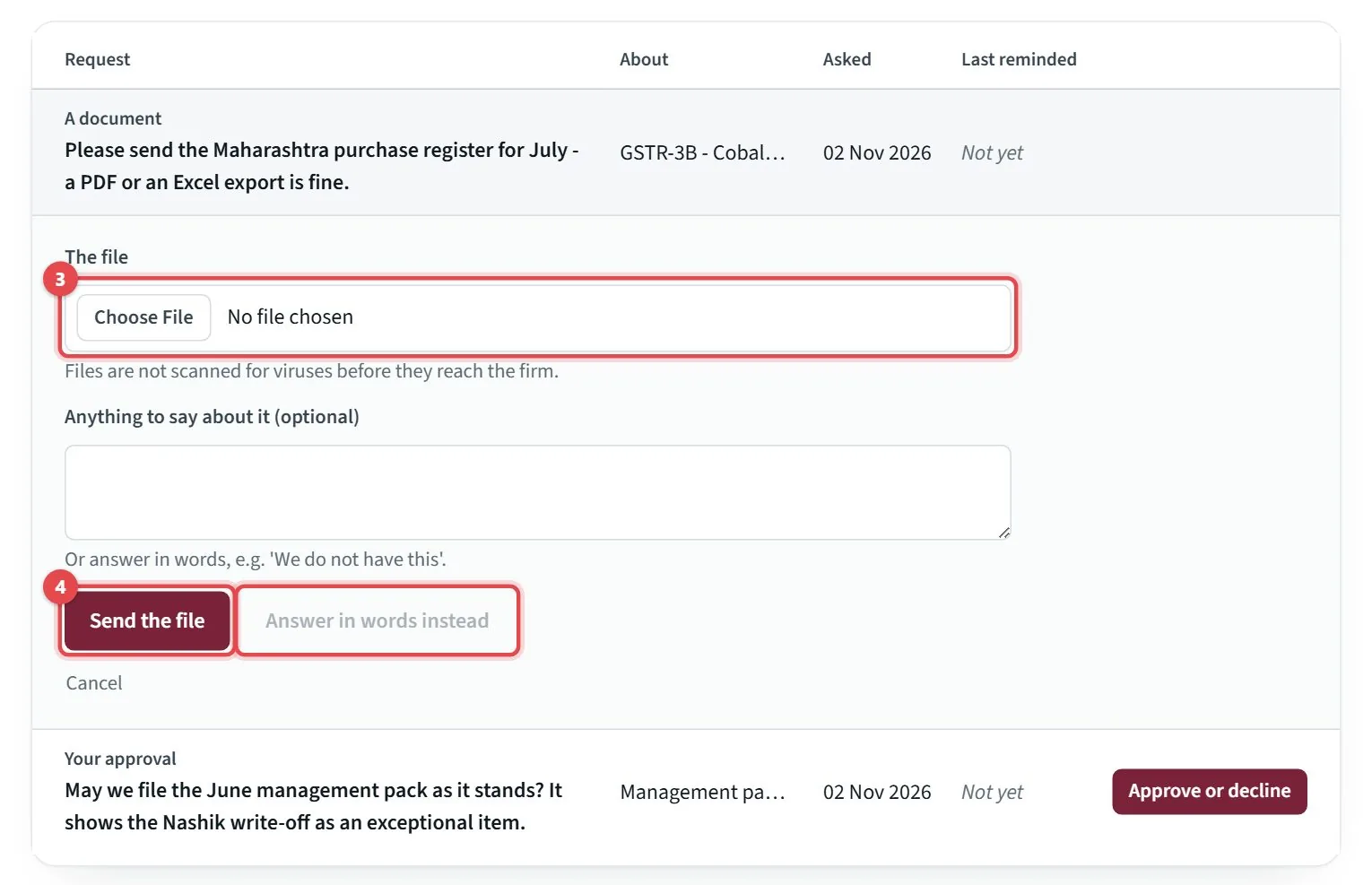 Sending a file. A written answer is fine too.
For a question they type Your answer and click Send. For an approval they click Approve or Decline, with an optional reason.
The answer moves to the tab Sent to the firm, and stays there until you mark it done. If they sent the wrong file, they click Send another.
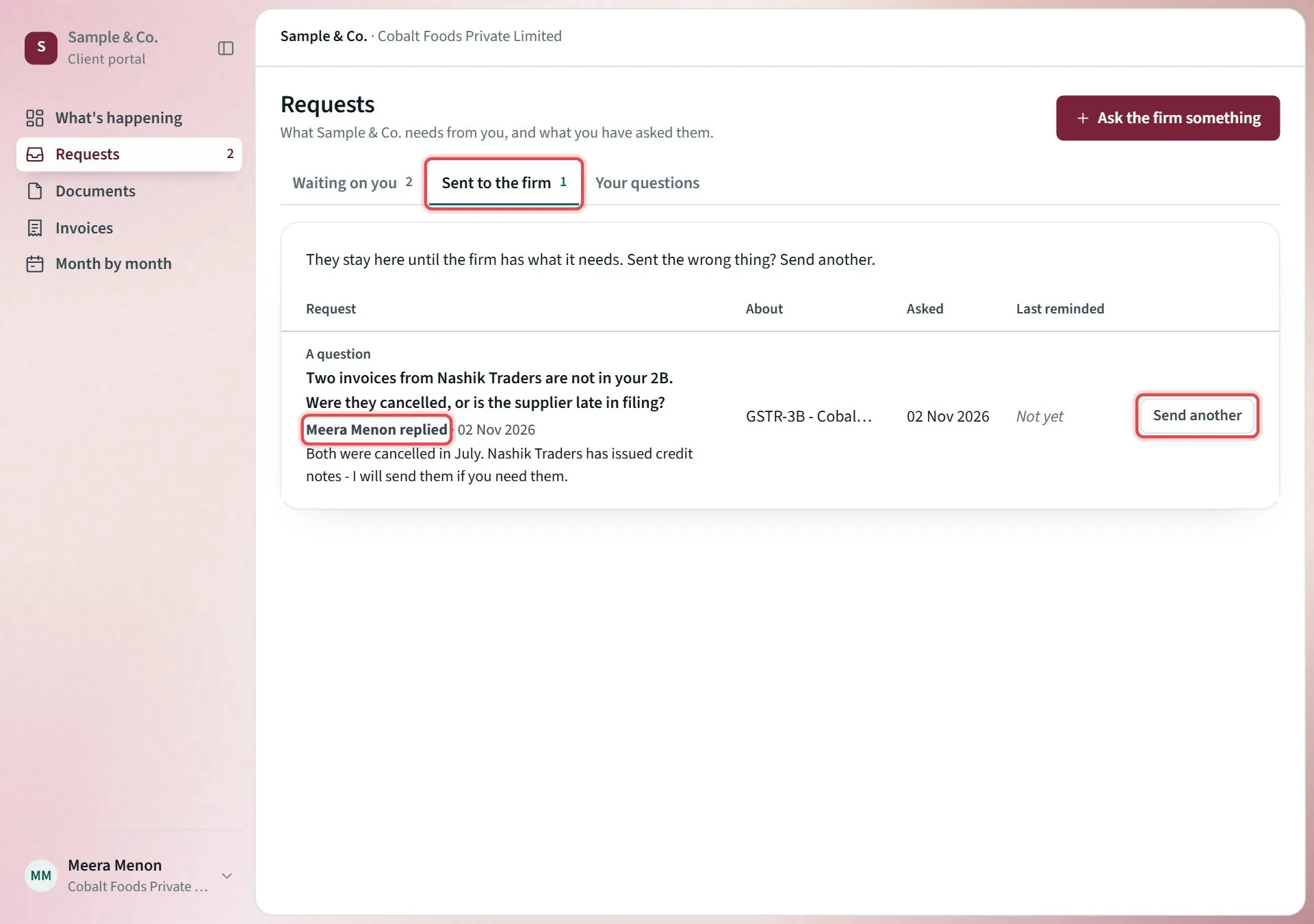 What Meera has sent, waiting for the firm to close it.
Files are not checked for viruses. The client is told so on the form. They can send PDF, pictures, Word, Excel, text and CSV files, up to 25 MB each.
| The client sees | What to tell them |
|---|---|
| "That did not go through" with "Choose a file first." | Click The file and pick the file before sending. |
| "This file is … MB. Files up to 25 MB can be uploaded." | Send a smaller copy, or split it. |
| "Your login can read these but cannot reply. Ask the firm for access." | Their login is read only. A partner can change it on People. |