Show a client their home page
Who sees it: Every portal login
Where: What's happening, the first link in the portal's menu
The portal's menu has five links: What's happening, Requests, Documents, Invoices and Month by month. The number beside Requests counts what is waiting on them.
-
If you have asked them for something, a notice says how many things need them. Open requests takes them there.
-
The tabs show their work:
- Filings still owed: each filing with its Due by law date and its Status. Late ones are red, for example "11 Oct 2026 · 22 days late".
- Held up: your work that is stuck, and why.
- Under way: work in progress.
- Recently filed: what you filed in the last 90 days.
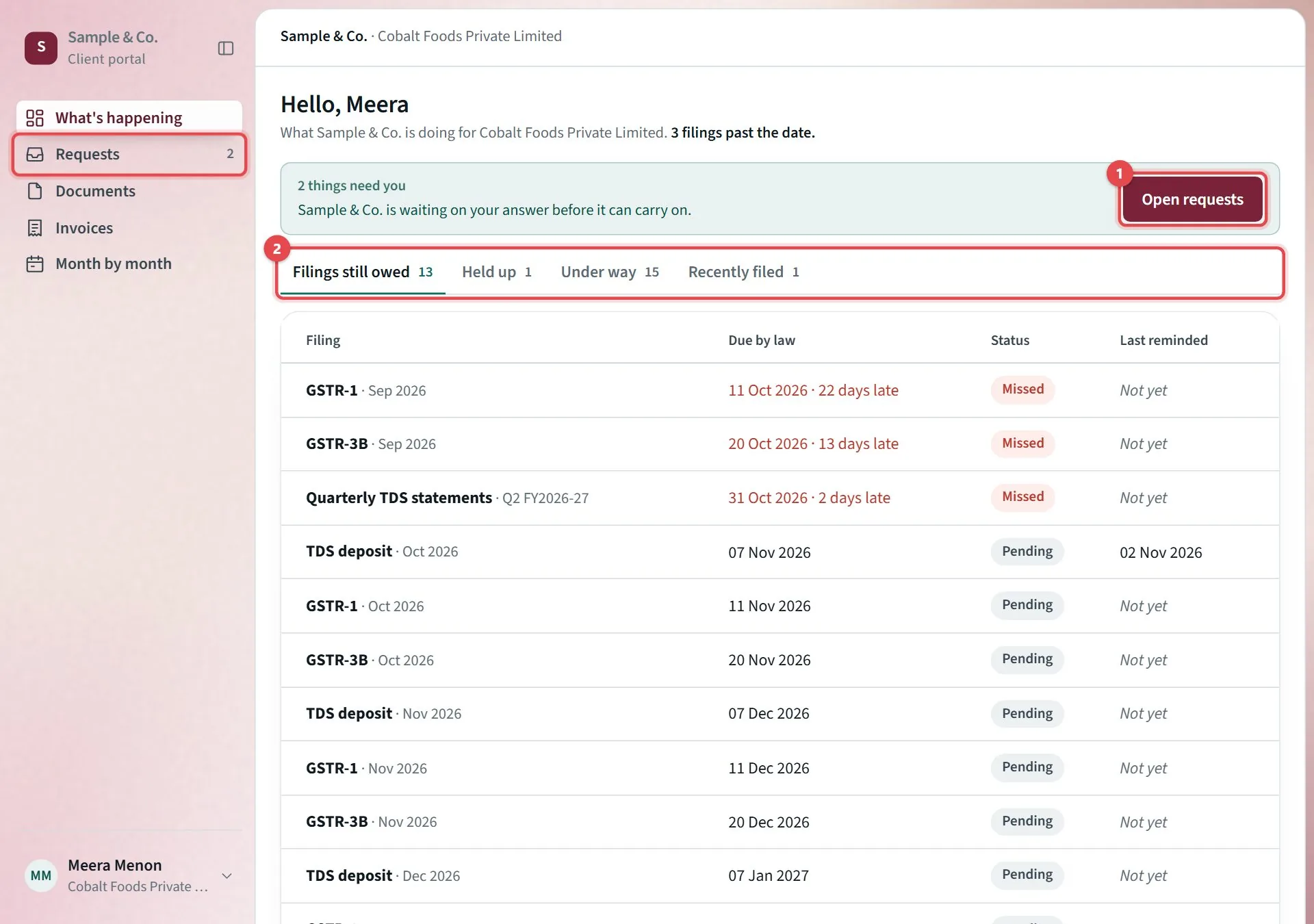 Meera's home page: what needs her, then her filings and work.
The client sees the legal due date only. Due by law is your Legal deadline. They never see your Start by date, your internal targets, who is working on a task, or its priority. Example: Start by 15 Oct, Legal deadline 20 Oct: the client sees 20 Oct.
The client reads your task title, and your blocked reason, word for word. On Held up, the Why column shows the reason you typed when you marked the task blocked. Write it as if the client will read it. Example: "Waiting for the July purchase register" is fine; "Client is slow again" is not. When the task has an open ask, they see "They asked you for something: see Requests" instead.
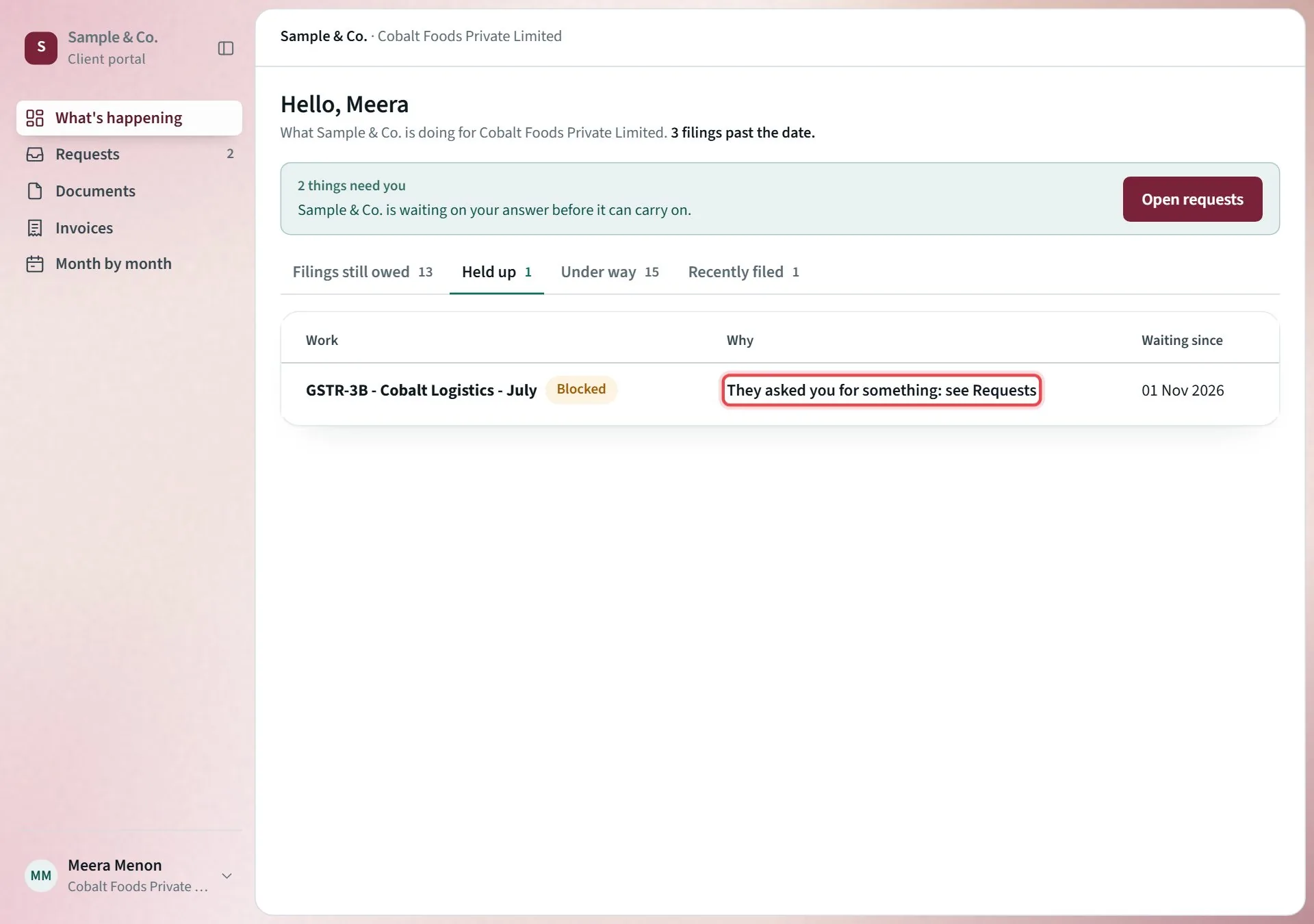 The Held up tab points the client to the request that unblocks the work.