Ask the client for a document, an answer or an approval
Who can do it: Partner, manager, associate
Where: Open the task › Asked of the client (in the board's task panel: tab Client & files)
Before you start: The task is Shown on the portal, and someone at the client can sign in.
- Open the task and check Client portal says Shown.
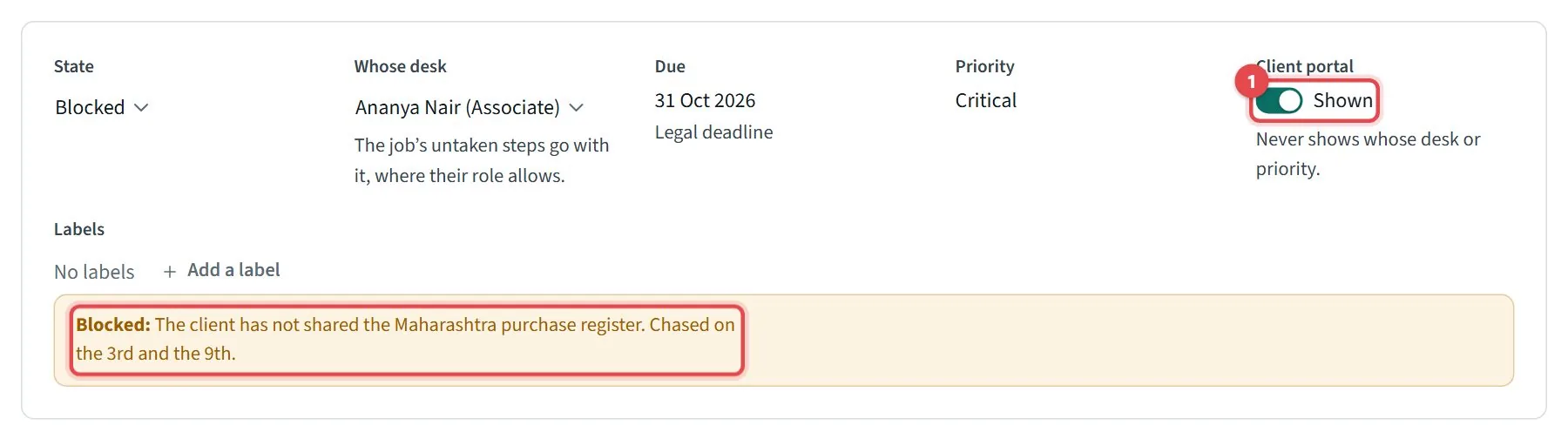 The task's details. Client portal is Shown. When no ask is open, the client reads this blocked reason word for word.
-
Further down, in Asked of the client, click Ask the client.
-
Choose What do you need?: a document, a question, or an approval.
-
For a document, choose File it as (the client never sees this).
-
Type Your words. The client reads them exactly as you type them. (The hint says "with your name", but the portal shows only the firm's name.)
-
Click Send the ask.
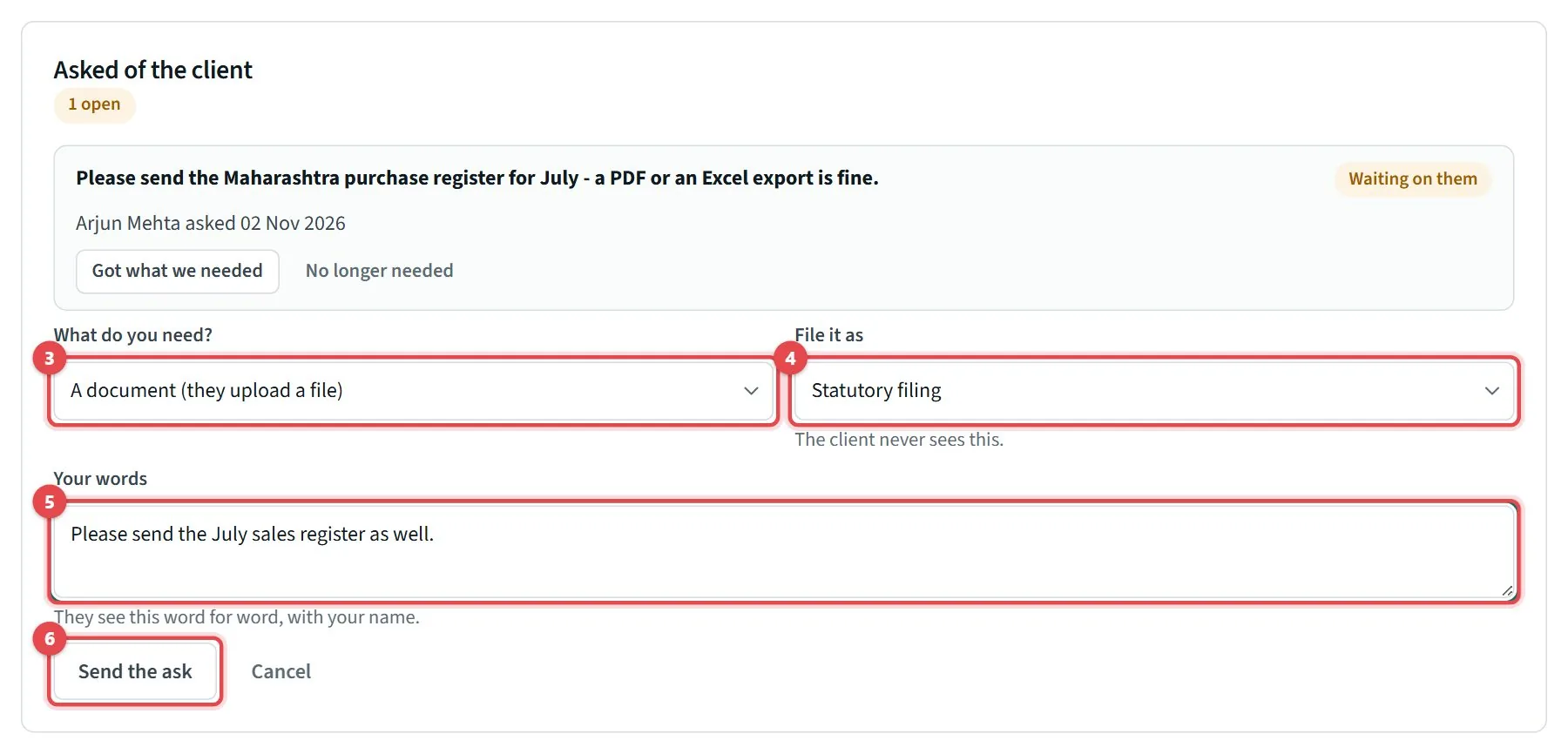 Asking Cobalt for the July sales register.
The ask shows Waiting on them. On the client's portal it appears under Requests › Waiting on you.
- You ask: from the task
- Client answers: on their Requests page
- You check it: Answered, needs a look
- You close it: Got what we needed
BiB does not email the client about an ask. They see it when they next sign in. Tell them, by phone or email. Automatic reminders (set by a partner under Settings › How work runs › Client reminders ) also show only on the portal, as a Last reminded date.
There is no due date on an ask. The client sees the day you asked.
| You see | Do this |
|---|---|
| "Hidden from the client portal, so they will not see an ask. Turn it on above." | Switch Client portal to Shown. |
| "Nobody at this client can sign in to the portal yet …" | Ask a partner to invite someone at the client first. |
| "Choose how to file what the client sends." | Choose File it as. |