Share a document with the client
Who can do it: Partner, manager, associate
Where: Any Files card on a client's page, a task, a letter or an invoice › column Client can see
-
Find the file's row in Files.
-
Switch Client can see to Shared. Switch it back to Not shared to take it off their portal.
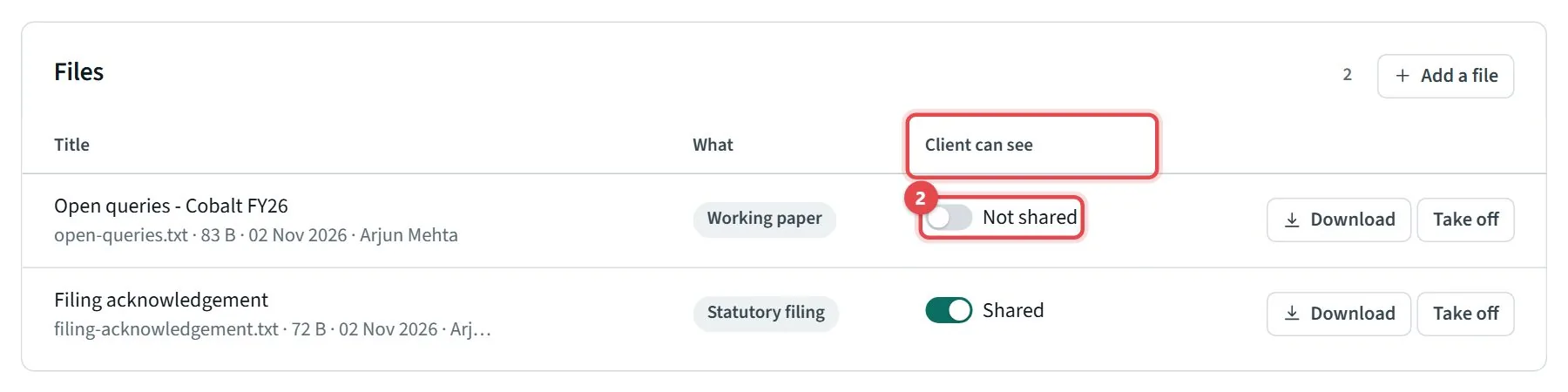 The acknowledgement is shared; the working paper beside it is not.
Shared files appear on the client's Documents page straight away.
Good to know
What a file is decides where it starts. Statutory filings, invoices, credit notes and engagement letters start Shared. Everything else (working papers, correspondence, proposals, ID proofs, certificates, other) starts Not shared. Example: upload a challan as "Statutory filing" on a task, and the client can download it at once.
| You see | Do this |
|---|---|
| "… is a draft, and a draft is never shown to the client. …" | Issue the invoice, or send the letter or proposal, and share the copy that went out. |
| "Not for the client: a draft" or "The firm's own" in the column | That file cannot be shared. |