Reset a forgotten password
Who can do it: Everyone
Where: The sign-in page
-
Click Forgot your password?.
-
Type your Email (2), the address the firm has for you.
-
Click Email me a reset link (3).
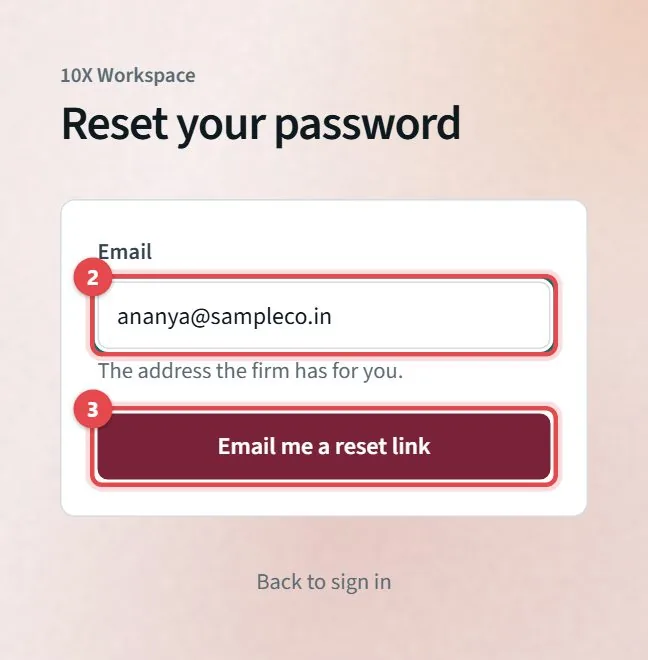 Asking for a reset link.
- BiB says "Check your email".
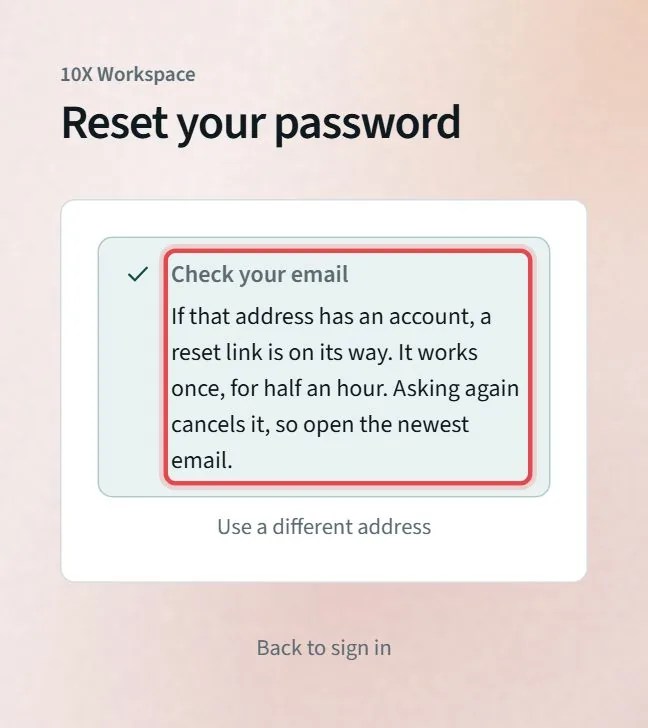 The reset link is on its way.
-
Open the email "Reset your BiB password" and click its link. Type your new password in New password and again in Type it again (5).
-
Click Set password and sign in (6).
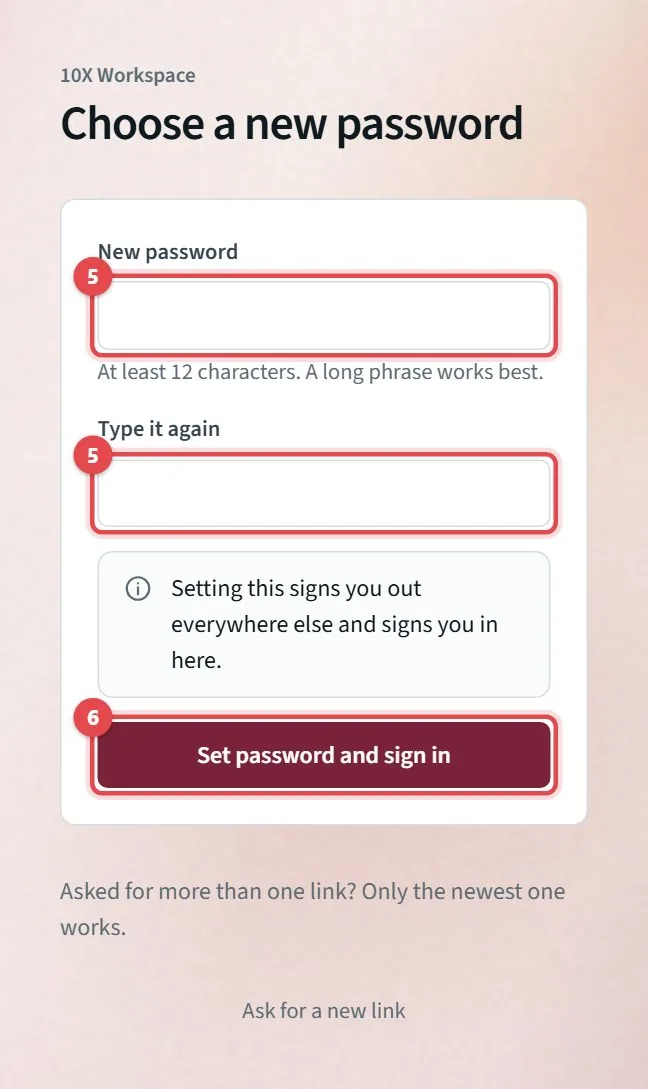 Choose a new password.
You are signed in here, and signed out on every other browser and device. Asked for more than one link? Only the newest works. Ask for a new link, at the foot of that page, starts again.
Watch out
The reset link works once, for half an hour. Asking again cancels the earlier link, so always open the newest email.