Sign in
Who can do it: Everyone
Where: The sign-in page (the address your firm gave you)
-
Type your Email and Password (1).
-
Click Sign in (2).
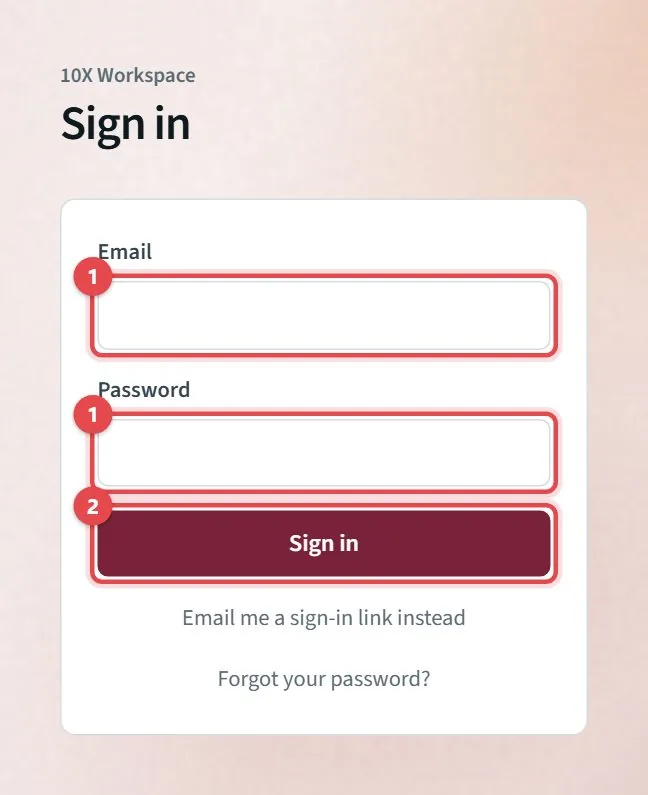 The sign-in page.
You land on My day. BiB keeps you signed in on that browser for up to 14 days. If you do not use BiB for 7 days, it signs you out and you sign in again.
Good to know
No password yet? Click Email me a sign-in link instead. See "Sign in with an emailed link" below.
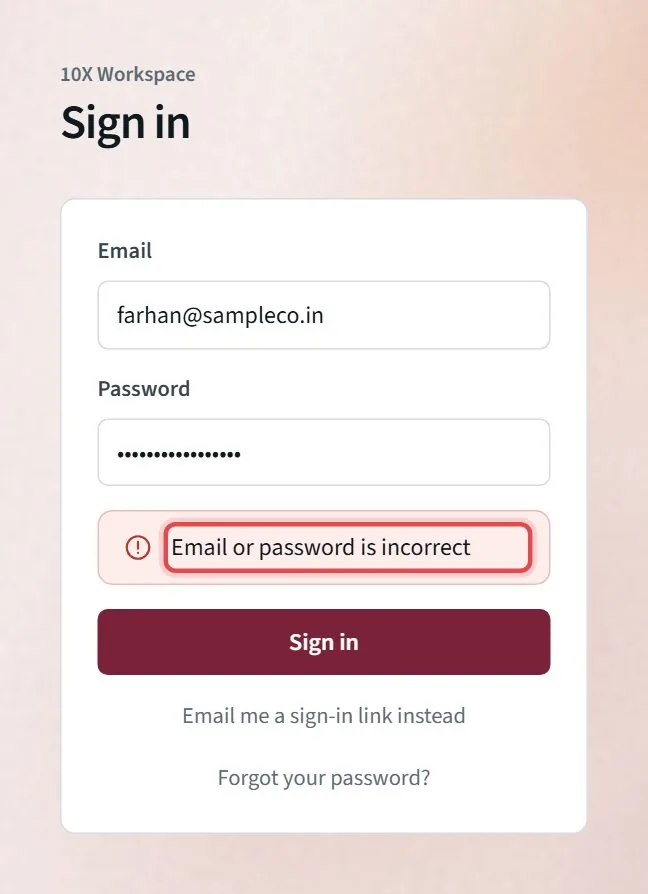 A wrong password. Check both fields and try again.
| You see | Do this |
|---|---|
| "Email or password is incorrect" | Check the spelling of both. Still stuck? Click Forgot your password? |
| "Too many sign-in attempts for this account. Try again in … minutes." | Wait that many minutes, then try again. |
| "Too many requests at once. Wait … seconds and try again." | Wait that many seconds, then click Sign in again. |
| "The account for "…" is disabled" | Ask a partner. |
| A long message that ends "…before they can sign in." | Your access to the firm was taken away, or was never given. Ask a partner to restore it on People. |