Set your password from the welcome email
Who can do it: A new colleague
Where: The email "Sample & Co. has added you to BiB"
When a partner adds you, BiB sends you a welcome email.
-
Open the email and click Choose your password.
-
Type a password in Password and again in Type it again (2). Use at least 12 characters.
-
Click Set password and sign in (3). You are in, on My day.
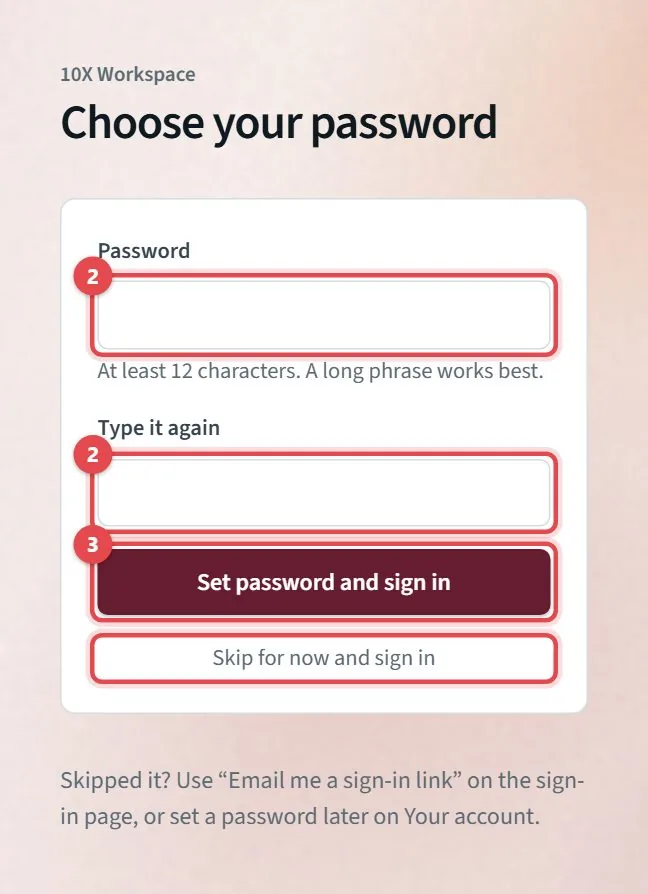 The page the welcome email opens.
Good to know
Rather not choose one now? Click Skip for now and sign in. You can set a password later on Your account.
Watch out
The welcome link lasts 72 hours and works once. After that, sign in with Email me a sign-in link instead on the sign-in page.