Add an exception for one month
Use this when the same month is due on a different day every year.
Who can do it: Partner
Where: Settings › How work runs › Compliance rules , Edit on the rule, card Exceptions
- In Exceptions, click Add an exception.
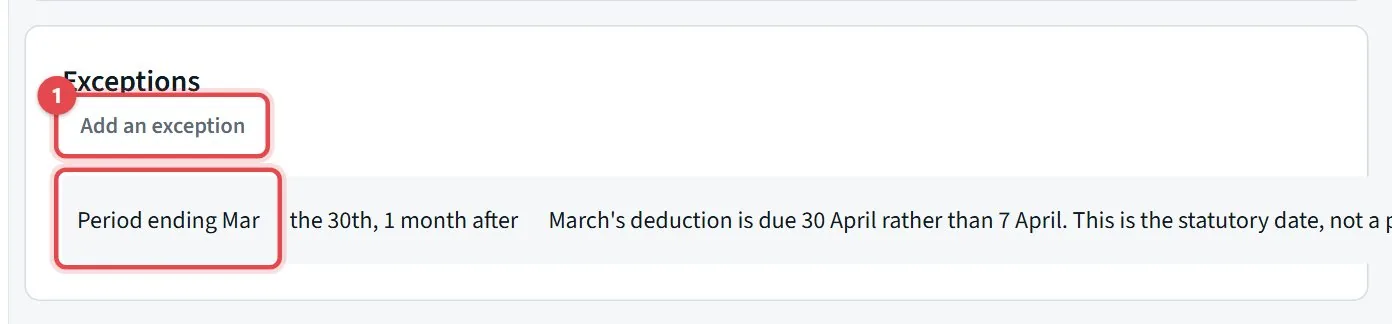 TDS deposit already has one: March is due 30 April, not 7 April.
-
In Month the period ends in, choose the month of the PERIOD being filed, not the month it is due. For March's TDS, choose Mar.
-
In Counted as, choose A day of a month. Type the Day and the Months after.
-
Type Why this period is different. It is required.
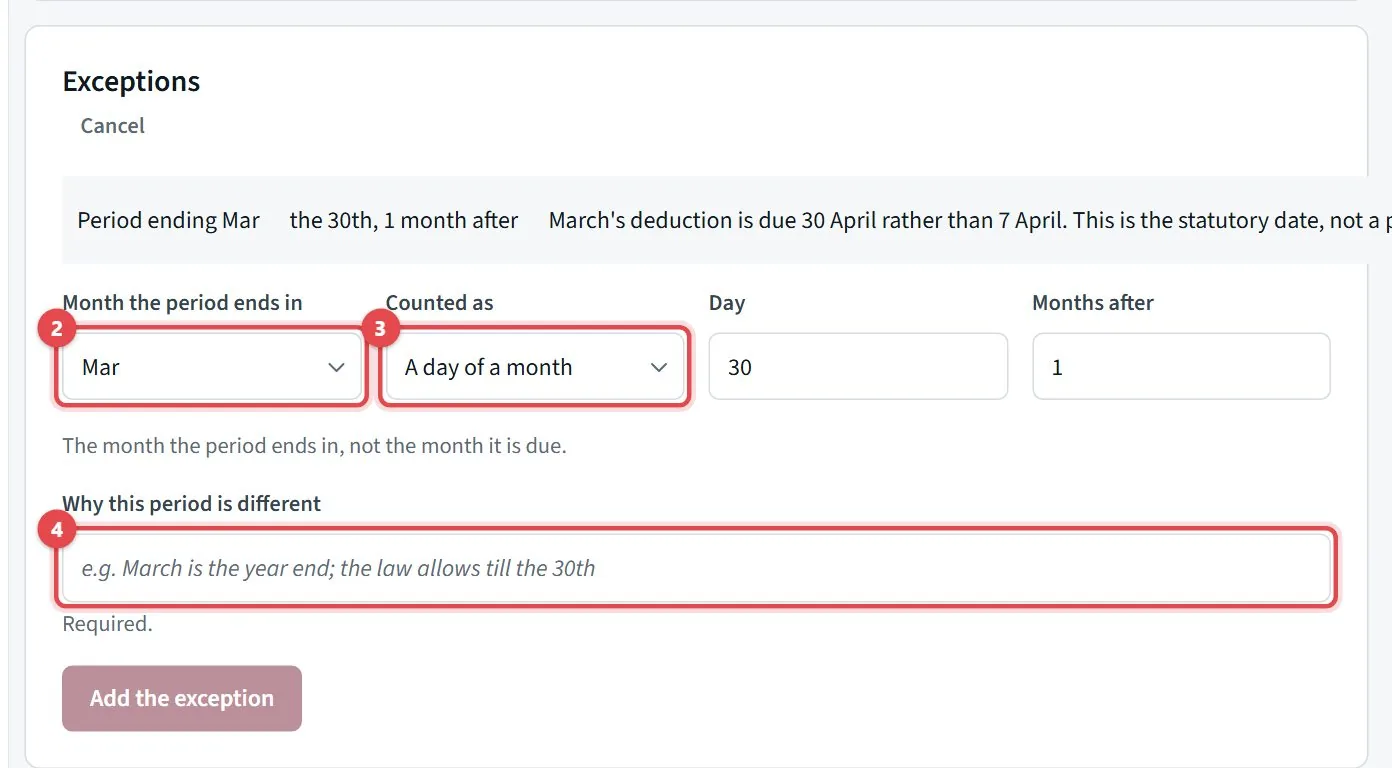 Pick the period's month and always say why.
- Click Add the exception. BiB says "Exception added."
To change an exception, click Withdraw on it, then add the new one.
A one-time extension is not an exception. An exception repeats every year. When the government extends one deadline once (for example "GSTR-3B for November extended to 27 Dec"), use Change date on each affected filing on the calendar. BiB has no tool that moves many filings at once.