Tell clients before a deadline
The heads-up ladder puts a reminder on the client's portal a few days before each legal deadline.
Who can do it: Partner
Where: Settings › How work runs › Client reminders , section When a filing of theirs is coming up
Before you start: The client's people have portal access.
- Under In force, click Write the ladder (or New version if there is one already).
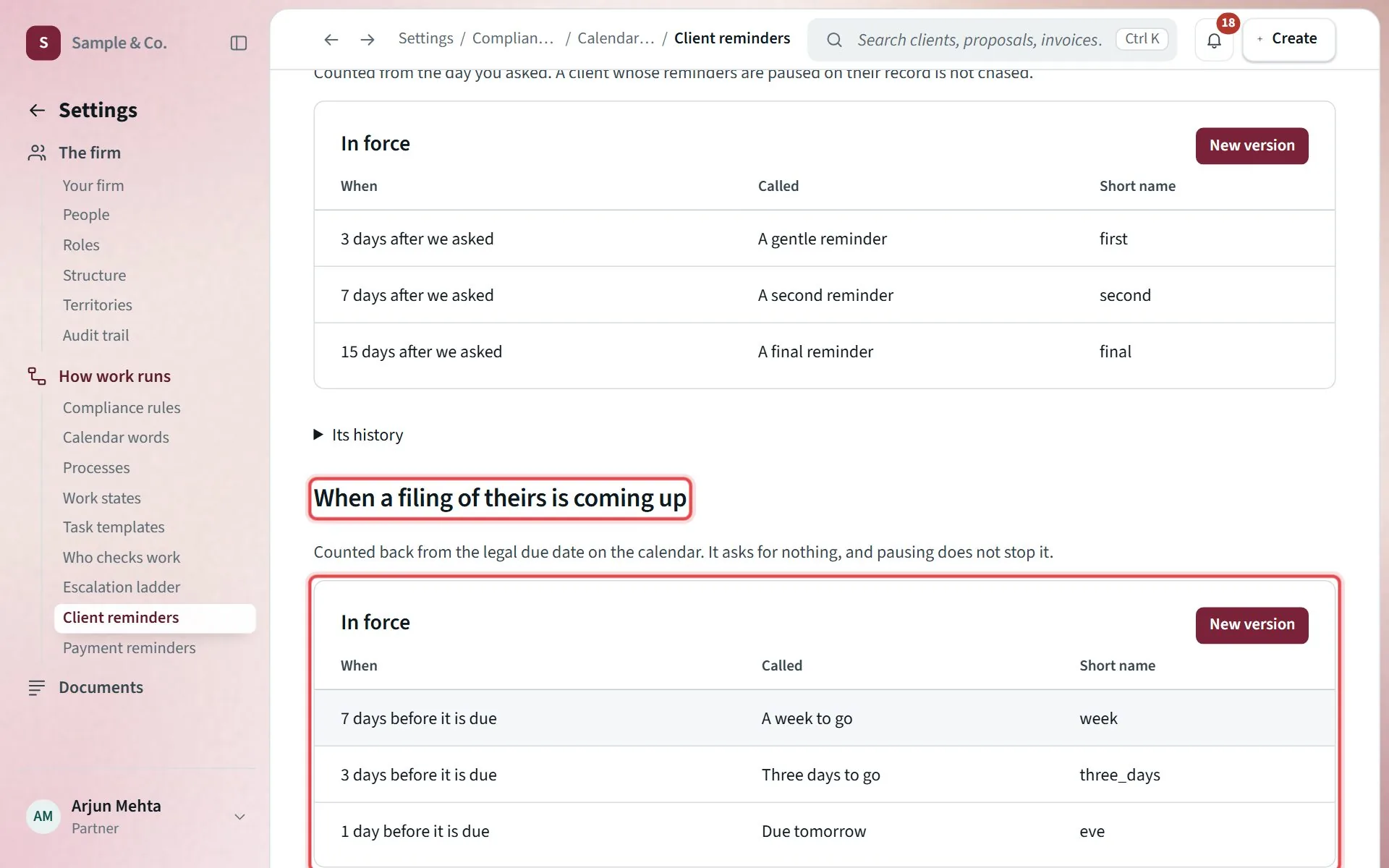 The sample firm's ladder: 7, 3 and 1 days before the legal deadline.
-
For each step, type How many days before it is due, What to call this step (for example "A week to go") and a Short name (for example week).
-
Click Add a step for the next one. Count DOWN: 7, then 3, then 1.
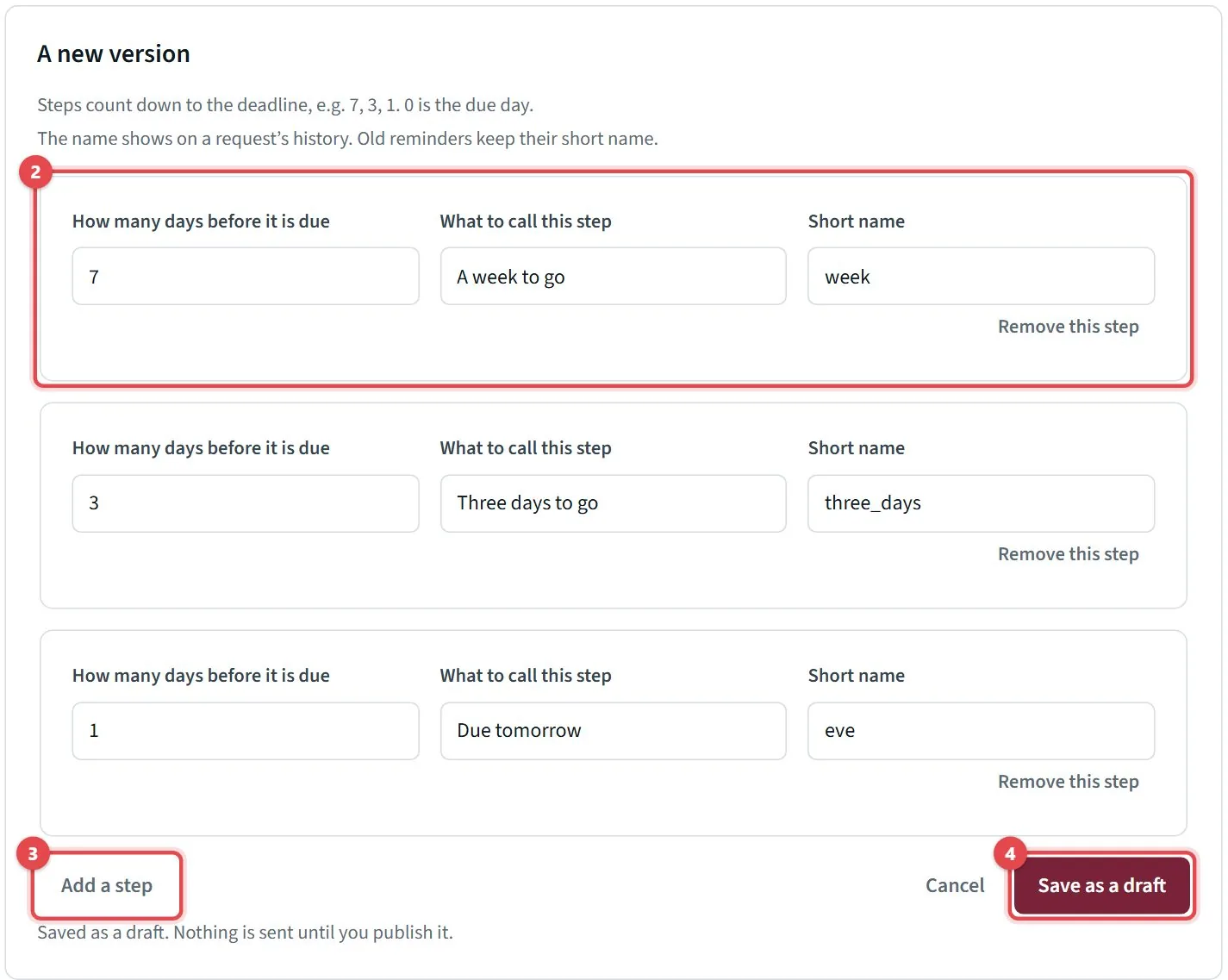 A new version: each step is one heads-up.
-
Click Save as a draft. Nothing is sent yet.
-
In the Draft card, click Publish.
October's GSTR-3B, legal deadline 20 Nov, ladder 7, 3, 1. The client sees heads-ups on 13 Nov, 17 Nov and 19 Nov. The client never sees your Start by date.
Heads-ups are not emailed yet. The client sees them on their portal only. Pausing a client does not stop them.
The other section on this page, When we have asked and not had it back, chases clients for documents you asked for. It works the same way, counting forward from the day you asked.
| You see | Do this |
|---|---|
| "rungs[1].beforeDays must be SMALLER than the rung before it…" | Put the steps in order, biggest number first: 7, 3, 1. |
| "…appears twice" | Give each step a different Short name. |