Confirm the decisions your partners can pick
When a deadline passes unfiled, a partner picks one of these decisions and writes why. BiB comes with four: File provisionally, Accept the late fee, Nil return and Not applicable to this entity. All four start unconfirmed.
Who can do it: Partner
Where: Settings › How work runs › Calendar words , card What may be decided about a missed deadline
-
Rename any decision in its Name box if your firm says it differently.
-
Check What it does: The filing still happens, late or It will never be filed.
-
Tick Confirmed on each decision your firm really uses.
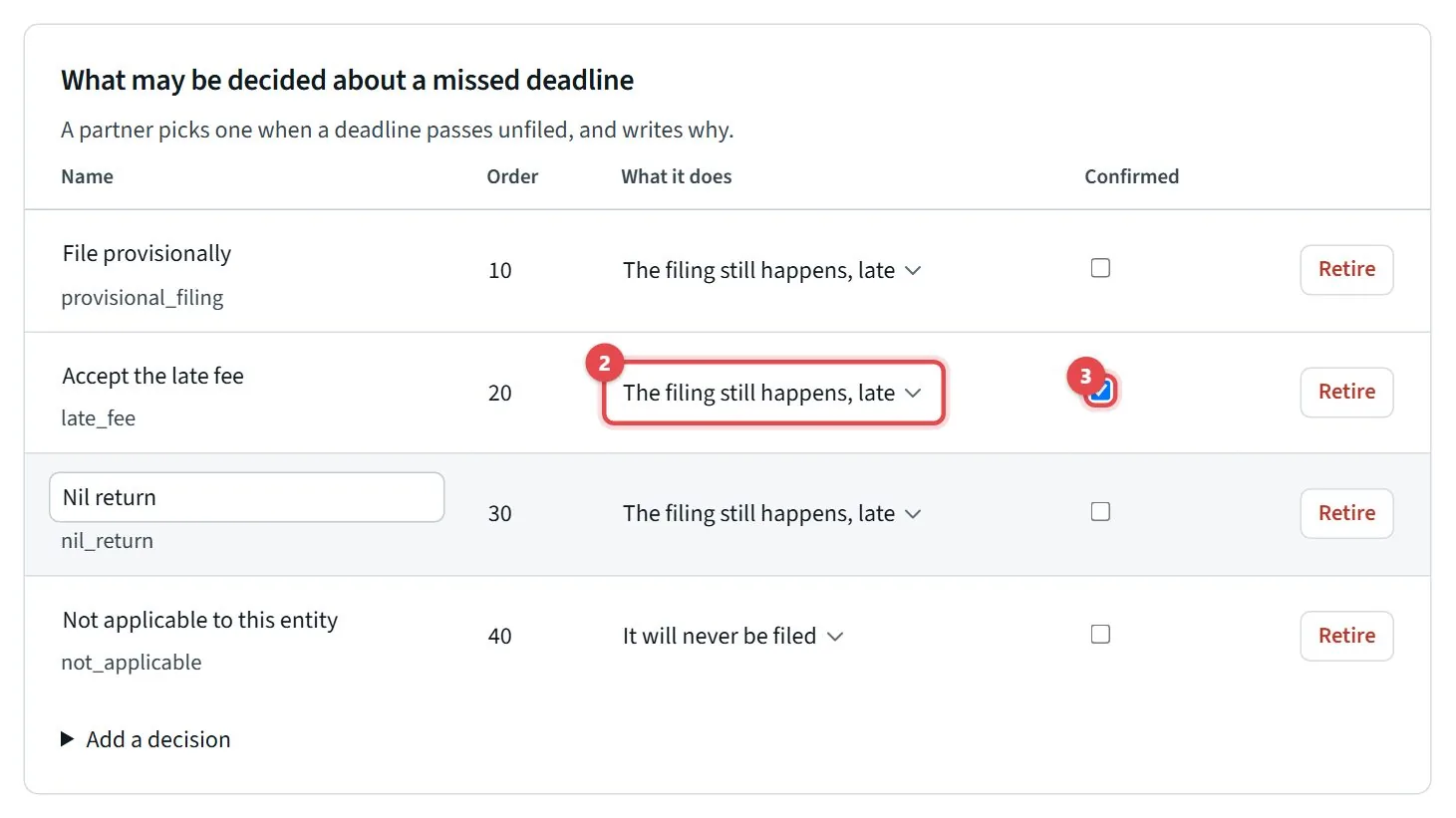 Accept the late fee is confirmed; the others are not yet.
- Click Retire on any decision your firm never uses.
On the calendar, an unconfirmed decision shows "(unconfirmed)" after its name until you tick it here.
| You see | Do this |
|---|---|
| "You have no decisions in use, so nothing on the decision queue can be resolved." | Click Bring back on a decision, or add one. |