Put a rule on a service
A rule reaches clients only through a service they bought, so this is the step that fills the calendar.
Who can do it: Partner who can see fees
Where: Commercial › Catalogue , then the service, tab Compliance filings
Before you start: The client has a signed engagement letter for this service.
-
Open the service and its Compliance filings tab. It lists the filings this service puts on the calendar.
-
Click Add a filing.
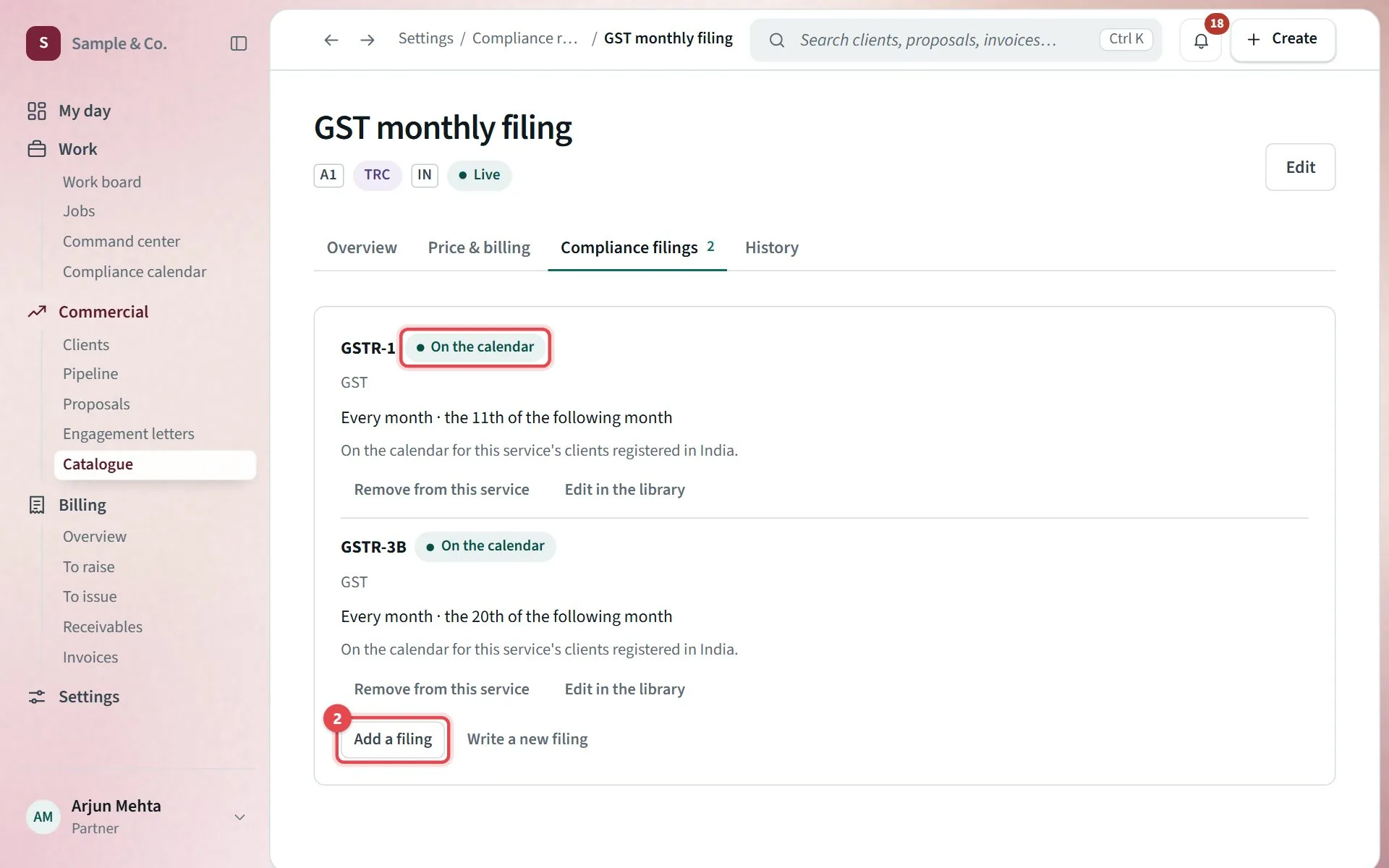 GST monthly filing already carries GSTR-1 and GSTR-3B.
- Type part of the name in Search by name, law or authority… (for example "EPFO") and click the filing.
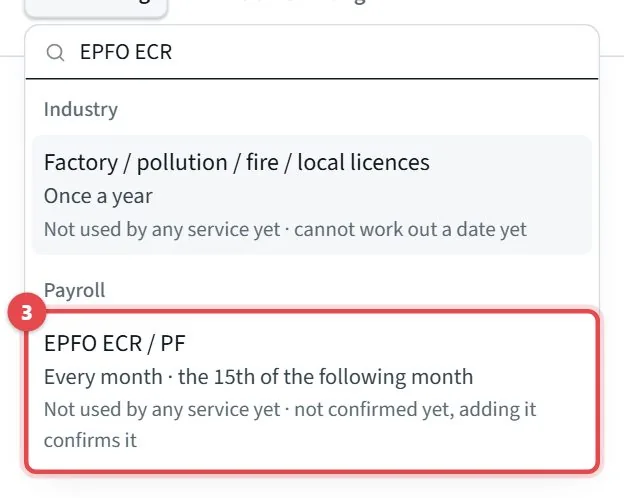 The list shows how each filing is used today.
- If nobody at your firm has checked the rule yet, BiB shows You are confirming with its dates in words. Read them against the law.
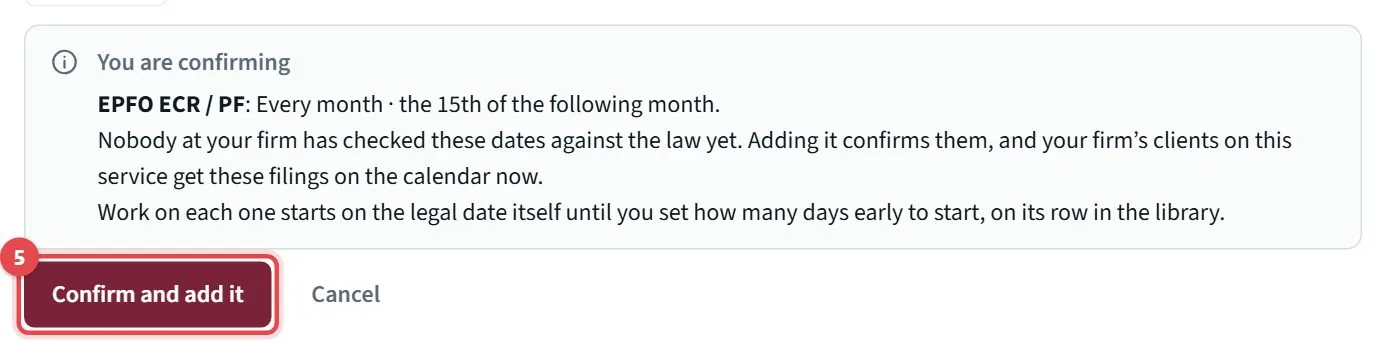 Adding an unchecked filing also confirms its dates.
- Click Confirm and add it (or Cancel). A rule that is already confirmed is added at once.
BiB says how many filings it added, for example "EPFO ECR / PF is confirmed and added to this service. 12 filings added to the calendar for 1 company."
Write a filing once, use it on many services. One rule can be on any number of services. Never write the same filing twice.
Taking a filing off a service. Click Remove from this service, then Remove it. Upcoming filings that nobody has started go off the calendar for this service's clients. Anything started, filed or past its date stays.
| You see | Do this |
|---|---|
| "Nothing went on the calendar: it cannot work out a date until somebody answers it in the library." | Give the rule a date first. See "Give a rule its date". |
| "No new filings: this service's clients registered in India already have them on the calendar, or none has a live engagement for it yet." | Nothing is wrong. Filings appear once a client signs for the service. |