Write a new rule
Who can do it: Partner
Where: Settings › How work runs › Compliance rules
Before you start: Search the library first (Add a filing on a service). The return may already be there.
-
Click Write a rule.
-
Type the Filing name, choose the Country, and leave the Rule pack as it is. These three can never be changed later.
-
Fill in the date as in "Give a rule its date".
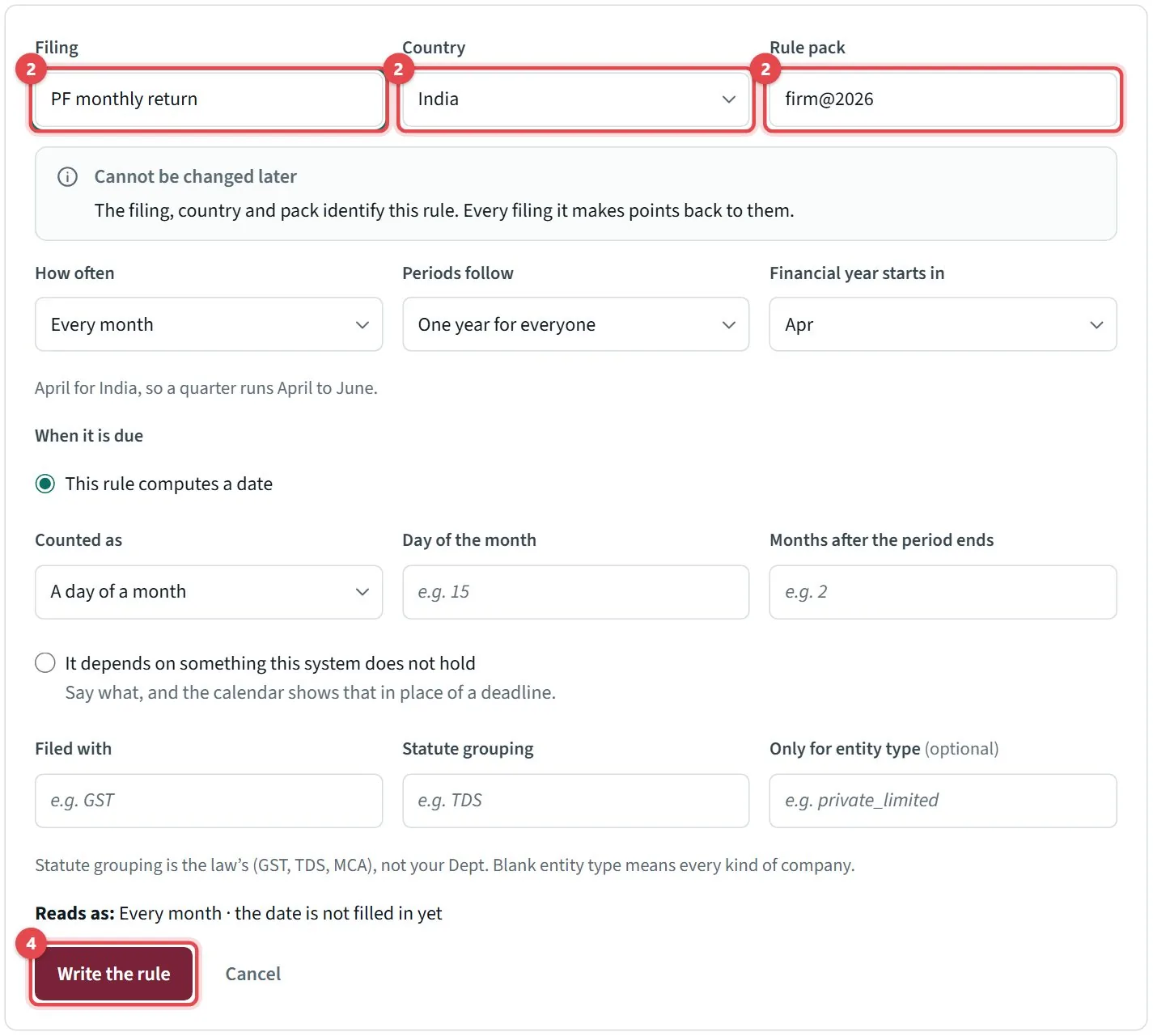 Writing a new rule.
- Click Write the rule.
The new rule starts confirmed, but on no service: "Saved. It is not used by any service yet, so it adds nothing to the calendar." Put it on a service, then set its Start early.
Good to know
Faster from the service itself. On a service's Compliance filings tab, Write a new filing writes the rule and adds it to that service in one go.
| You see | Do this |
|---|---|
| "Your firm's library already holds a filing named …" | Use Add a filing on the service instead of writing it again. |