Change a price or the wording of a service
Who can do it: Partner (an admin who can see fees)
Where: Commercial › Catalogue › the service › Edit
-
Open the service and click Edit.
-
Change what you need: the price, the four boxes under What’s included, the process, and so on.
-
Click Save and publish to make the change live now. Or click Save as draft: the page then shows Unpublished changes with what changed, and you click Publish when you are ready.
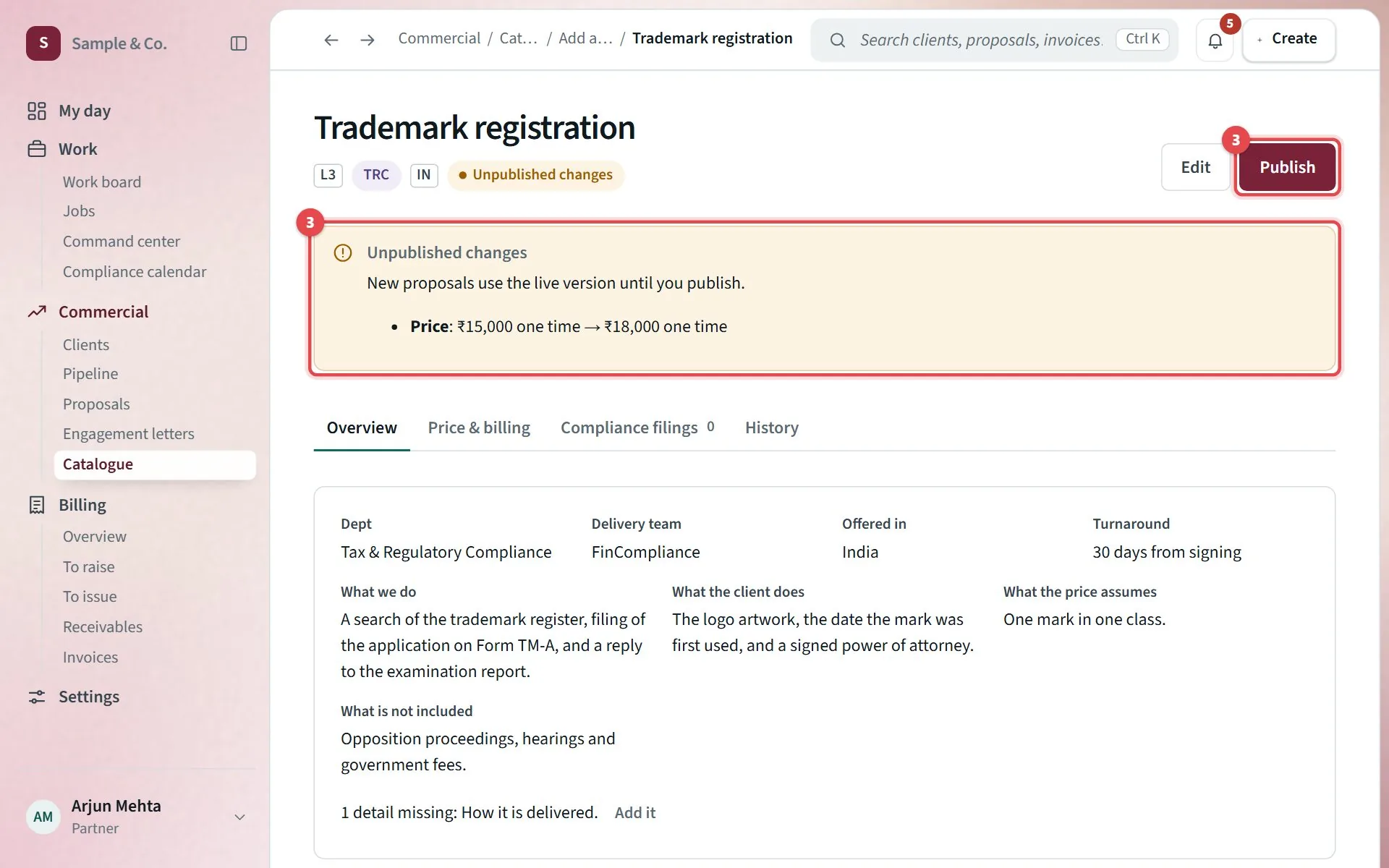 A saved change waits under Unpublished changes until somebody publishes it.
When it is published, the page says so. New proposals and letters use the new version from now on.
 The message after Publish: it names the new price.
A change reaches new documents only A service already on a proposal or letter keeps the version it was added with. Example: you raise a price from ₹15,000 to ₹18,000 today. A draft letter made yesterday still says ₹15,000. Change the price on that letter, or start a new one.
Different words for one client only? Do not edit the Catalogue. Change the words on that client's letter or proposal. It then shows "Changed for this letter.", and Back to standard puts the Catalogue's words back.