Write a standard term
Who can do it: Partner. Everyone can read the terms.
Where: Settings › Documents › Standard terms
Before you start: For a term that names a law or courts, your company needs a country on Settings › The firm › Your firm .
-
Open Settings, click Documents, then Standard terms.
-
Pick the tab:
- Default for terms that name no country's law (confidentiality, liability, termination).
- Your company's tab for terms that name a law or courts (governing law, disputes).
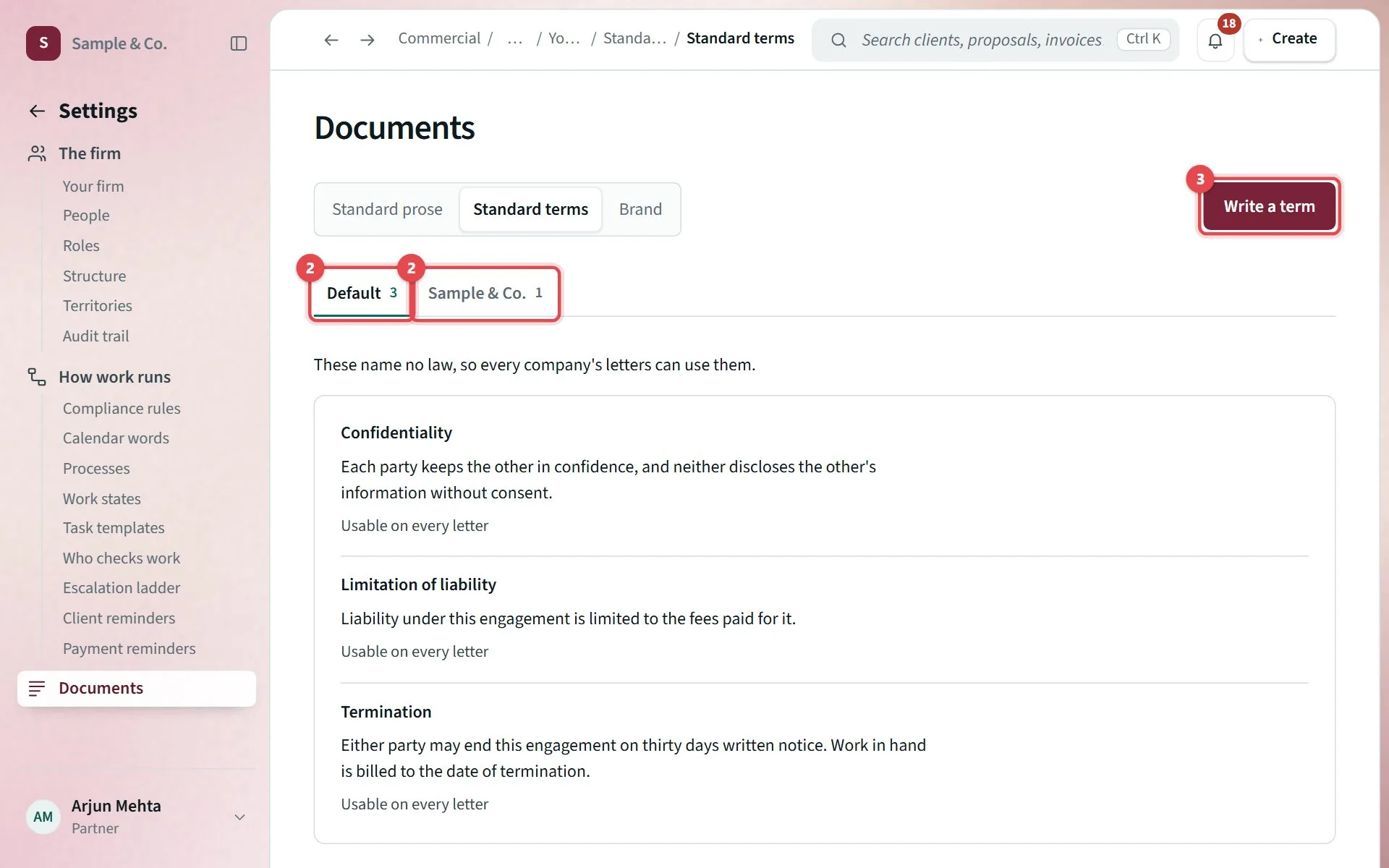 Standard terms: Default terms work for every company.
-
Click Write a term.
-
Type the Title and The term, as it prints. Write the whole term here, law and courts included.
-
On a company's tab, also type Law of India, as it prints and, if you like, Courts, as they print.
-
Under Letters it can go on, tick countries only if the term is for clients in those countries. Tick none for clients anywhere.
-
Check every word, then click Save and make it live.
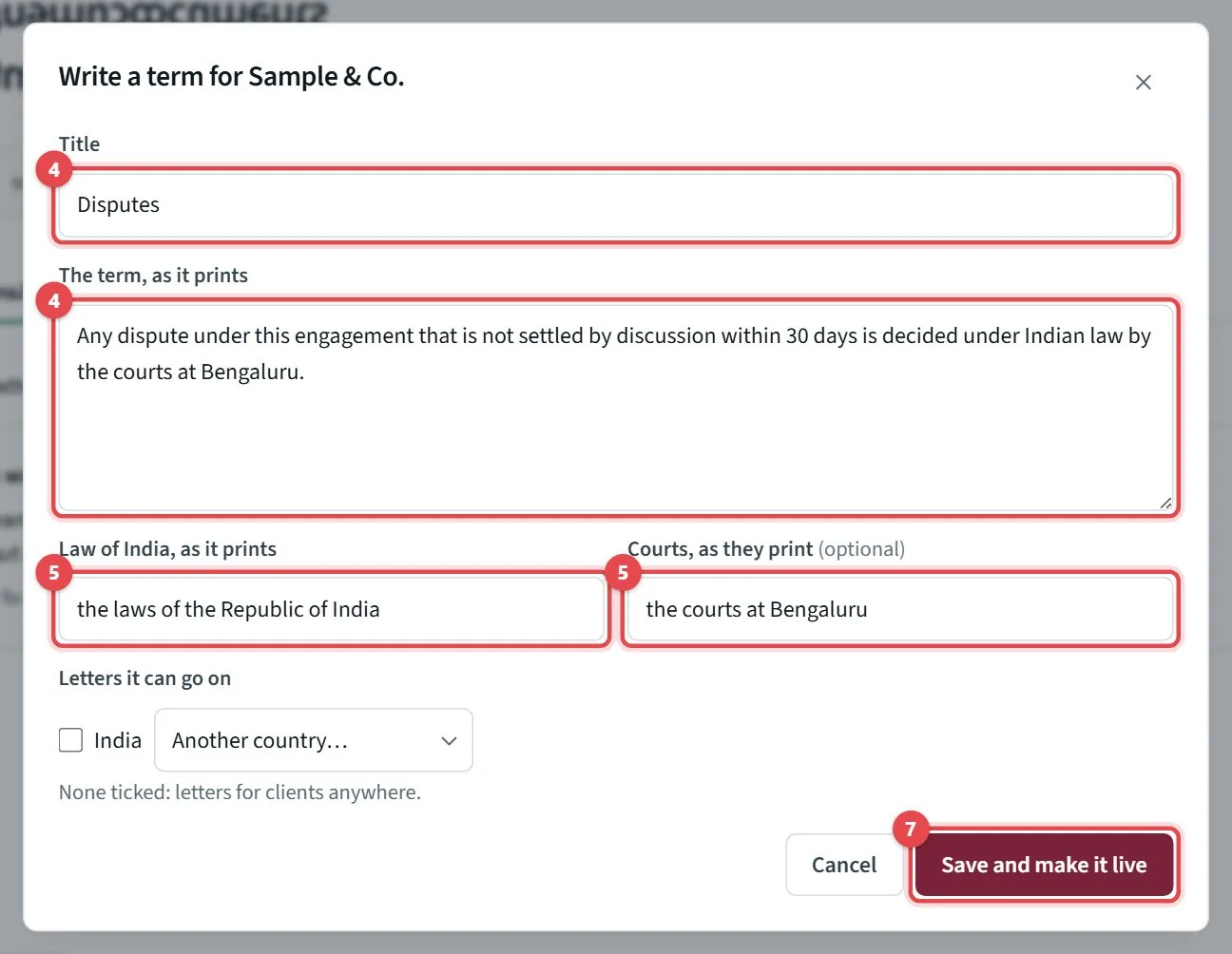 Writing a term for the company. Write the full term in the big box.
The term is live at once, for example "Confidentiality is live. Every company's new letters can use it."
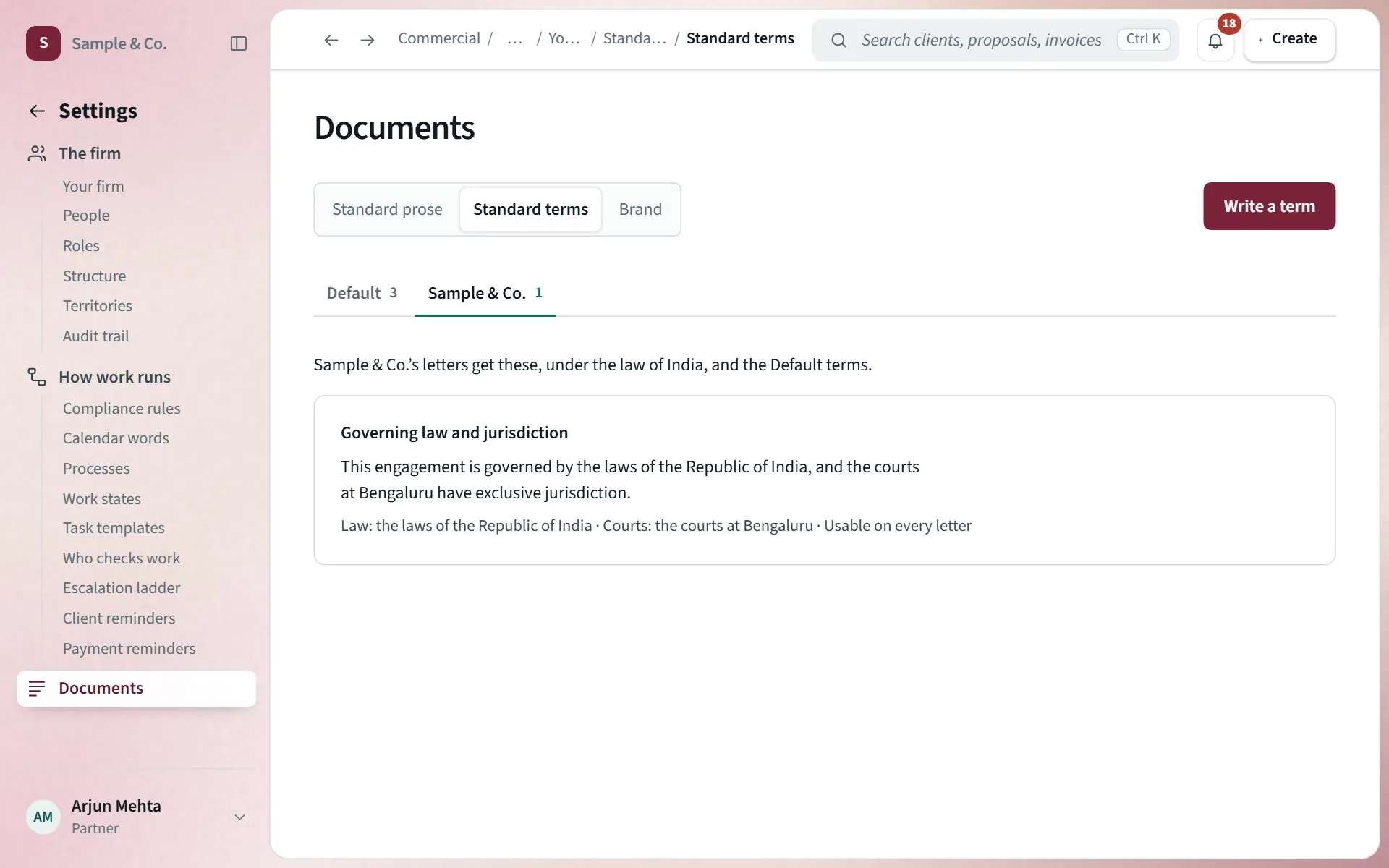 The company's tab: its governing-law term, with the law and courts it names.
A saved term cannot be changed or removed on screen There is no edit, remove or reorder button. Check the spelling before you save. If a term is wrong, ask your BiB contact to correct it. Until then, add terms to letters one by one so the wrong one is left out.
Only the title and the big box print The Law and Courts boxes are used to check that the term suits the company issuing the letter. They are not printed by themselves. Example: if the big box says only "This letter is governed by Indian law.", that one sentence is what the client reads.
Terms are added in A–Z order of their titles "Add all standard terms" puts them on a letter as Confidentiality, Governing law, Limitation of liability, Termination. If you need another order, add them one at a time.
| You see | Do this |
|---|---|
| "Give the term a title, e.g. Confidentiality." | Type a Title. |
| "Write the term as it will print." | Type the term's text. |
| "Say whose law applies, e.g. the laws of the Republic of India." | Fill Law of …, as it prints. |
| "… has no country yet. Set it on Your firm to write its terms." | Give the company its country on Your firm. |
| A Not published label | Click Publish it. |
| "Not usable by any company" | None of your companies is in the country this term names, so no letter can use it. |