Check your company's details (they are your letterhead)
Who can do it: Partner
Where: Settings › The firm › Your firm › Companies
-
Open Your firm and the Companies section.
-
On your company's row, click Change (or Complete this company, if it says so).
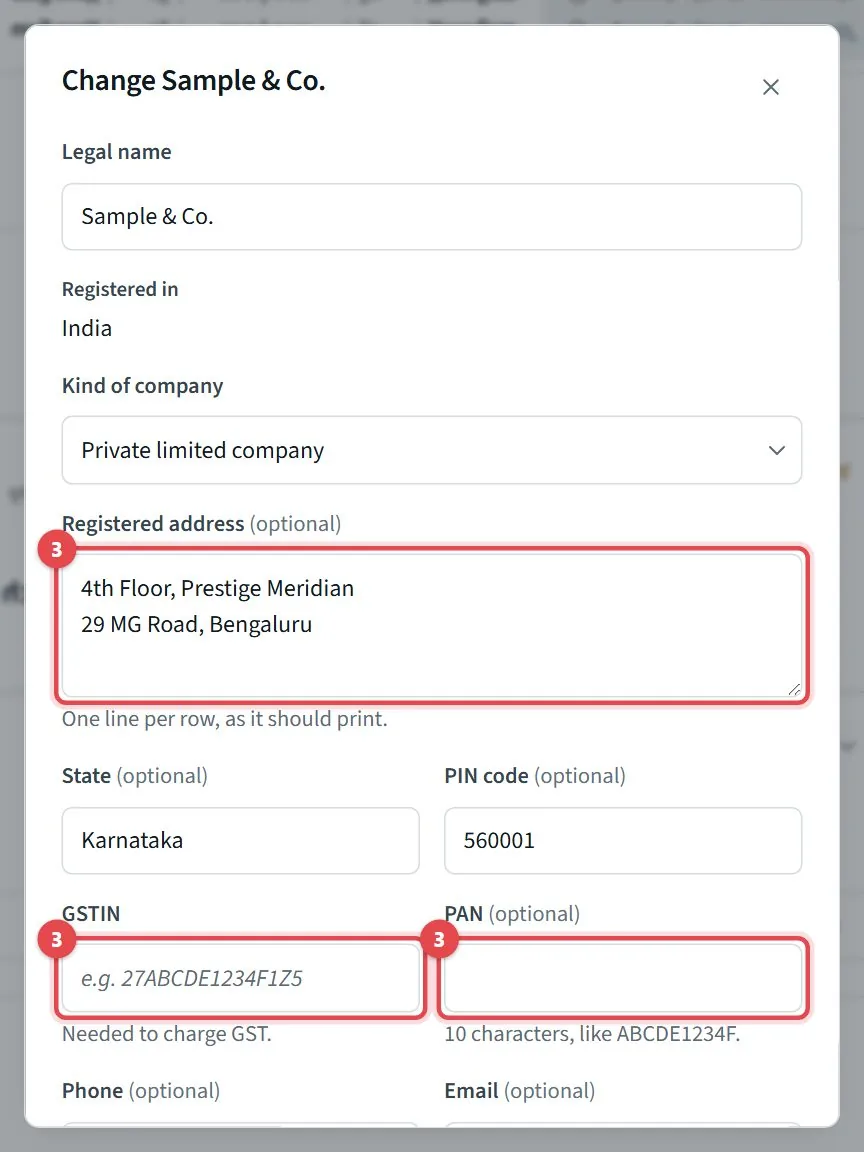 These typed details print under your company's name on every letter.
- Fill in Registered address (one line per row, as it should print), State, PIN code, GSTIN, PAN, Phone, Email and Company ID (CIN), and save.
These lines print under your company's name on page 1 of every new letter, at the foot of proposal pages, and on invoices. Chapter 1 covers this screen in full.
Good to know
Sent letters keep the old details A letter keeps the details it had on the day it was sent. Example: you move office in June. Letters sent in May still show the old address, which is right.