Give a credit note, or cancel an invoice
Who can do it: Partner
Where: the issued invoice, More menu
To take money off what a client owes:
-
Click Issue a credit note.
-
Fill in Amount (with tax) and choose Why: Service failure (our fault), Billing error, Goodwill, Scope changed, Duplicate invoice or Bad debt. Add Particulars if you like.
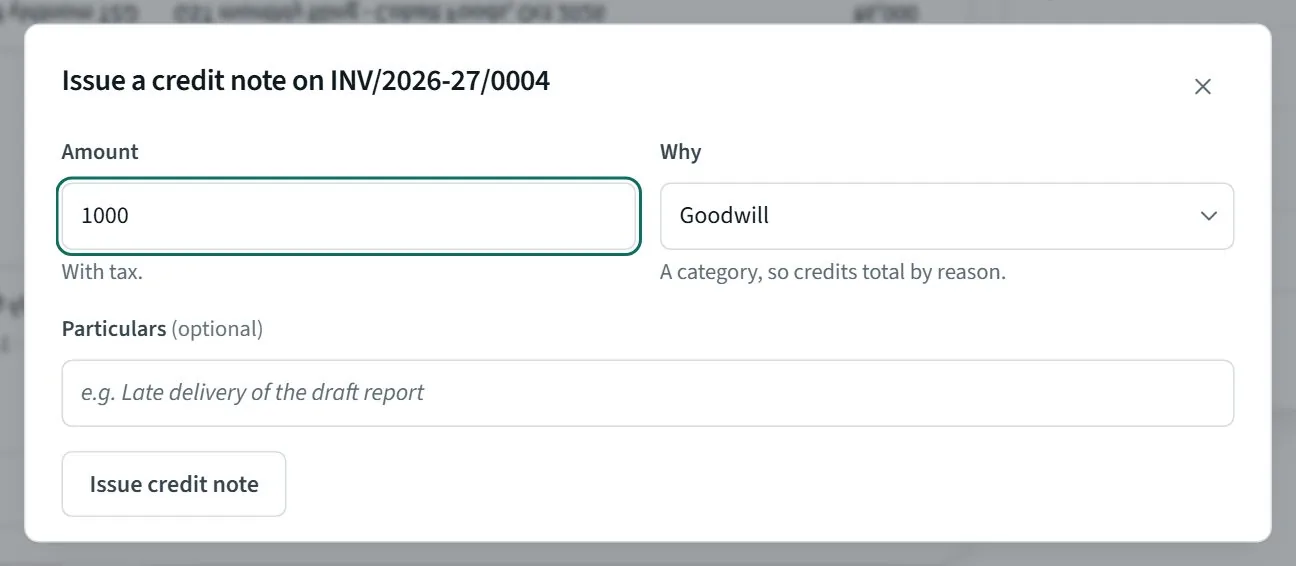 A credit note of ₹1,000 for goodwill.
- Click Issue credit note, then Issue it.
The credit note takes the next number in the company's credit note series. It cannot be withdrawn.
To cancel an invoice raised by mistake, click Cancel invoice in the same menu, then Cancel the invoice. An issued invoice keeps its number, and the number is never used again. A cancelled draft uses up no number.
An invoice with a payment cannot be cancelled BiB says the money "would be attached to nothing". Issue a credit note instead. If the payment itself was a mistake, reverse it first (record a minus amount), then cancel.