Turn bills into invoices
Who can do it: Partner or manager (anyone whose fees are visible)
Where: Billing › To raise
Before you start: Bills have fallen due. See "How bills come to exist".
- Open Billing › To raise . Bills are grouped by client. Each group's head shows the company that charges, the currency, the manager and the number of bills.
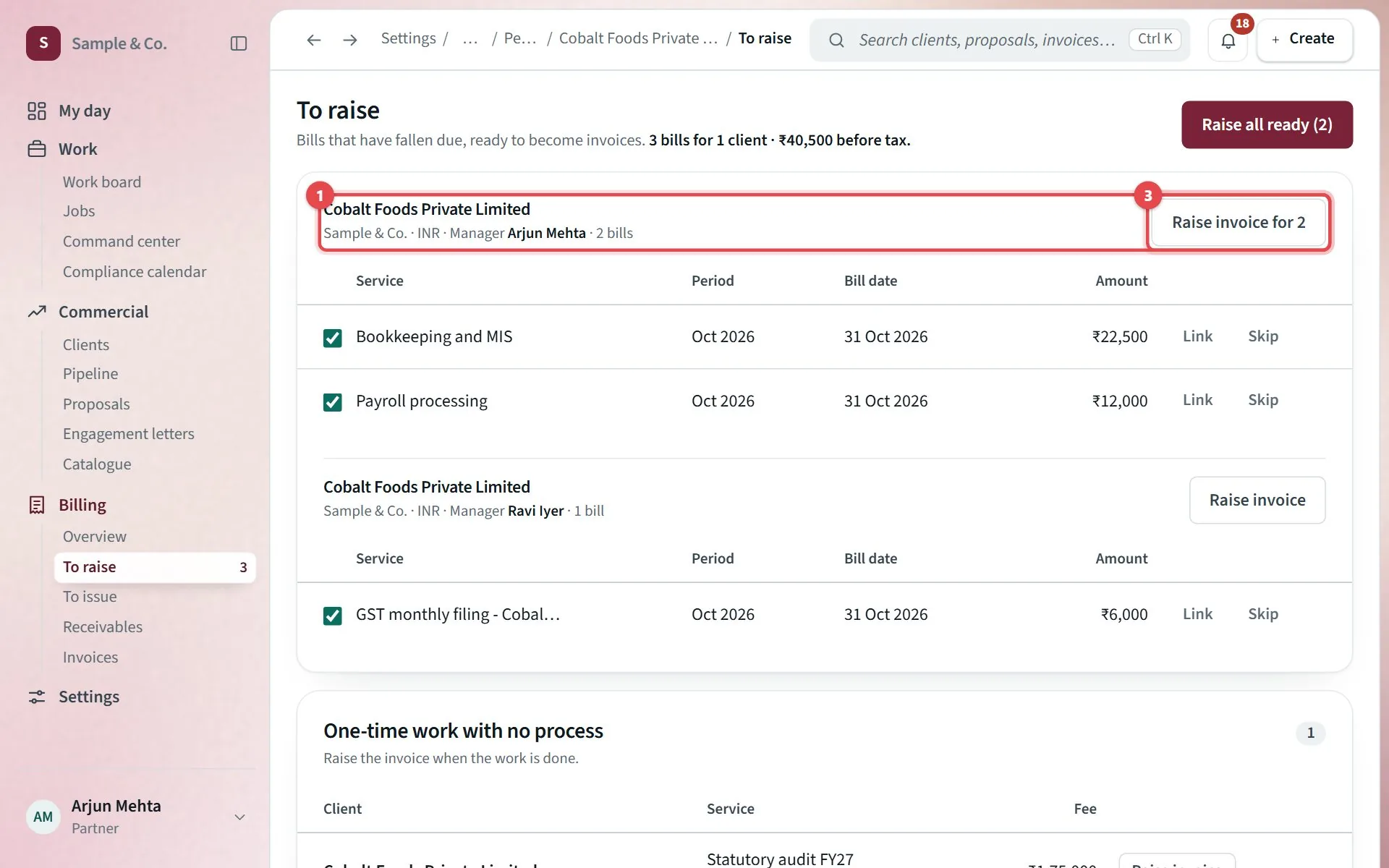 To raise with October's bills. Each group's head (1) and its Raise invoice for 2 button (3).
-
Untick any bill you do not want on this invoice. All are ticked at first.
-
Click Raise invoice in the group's head. With several bills ticked it reads Raise invoice for 2.
-
Check each bill's Amount and Tax %, and the Due date. Leave Due empty to use your payment terms.
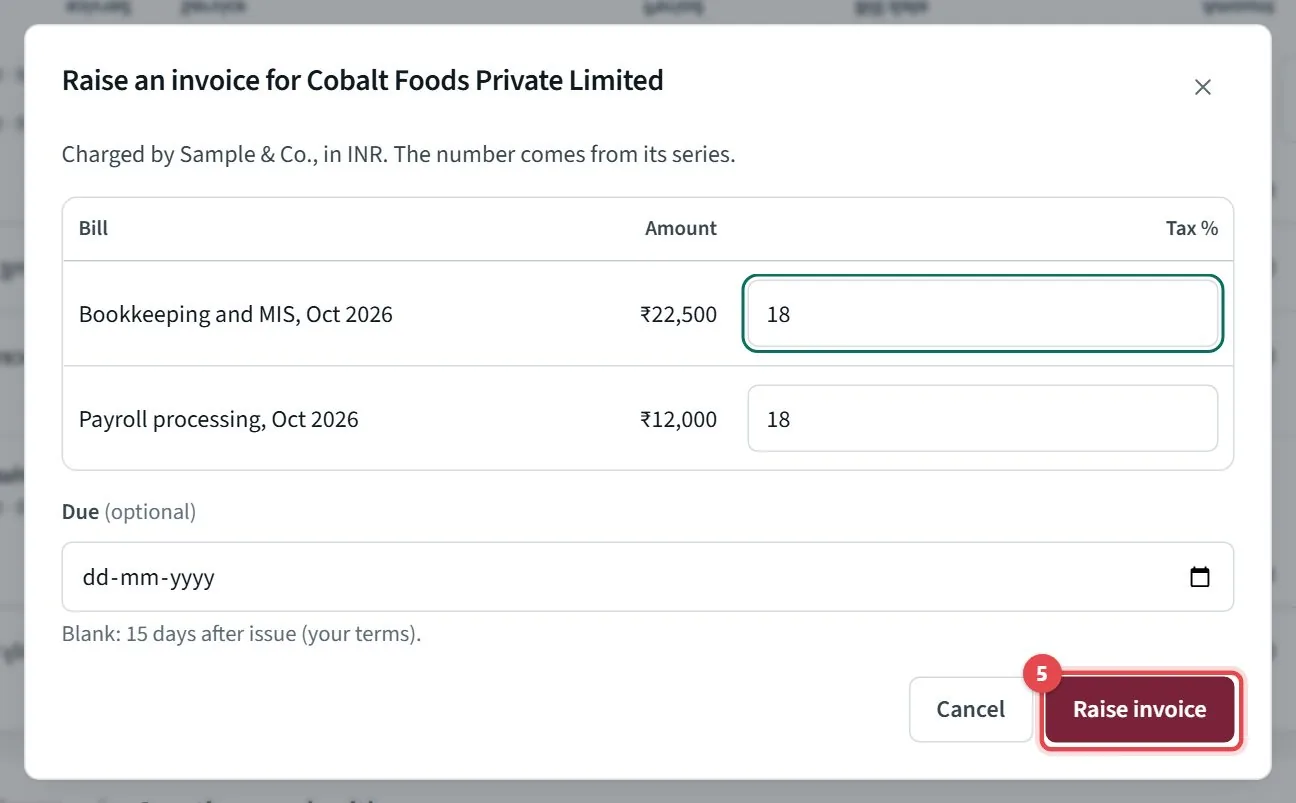 The raise box. Check the amounts, then Raise invoice (5).
- Click Raise invoice.
BiB makes one draft invoice with every ticked bill on it and opens it. If your company is not registered for GST, the draft carries no tax, whatever Tax % said. It gets its number only when it is issued. The draft now waits on Billing › To issue .
Raising sends nothing to the client A draft is invisible to the client. It goes out only when a partner issues it.
A red bill date A bill date turns red a week after it passes. The manager's own manager is told about it too.
An advance comes off automatically If the letter asked for an advance, BiB takes it off the earliest bills first, before tax, and shows "Less advance" beside the amount. A group the advance pays in full needs no invoice: "No invoice needed: 2 bills were paid in full by the advance."
| You see | Do this |
|---|---|
| "No price yet" on a bill | The letter has no fixed fee for it. Type the amount in the raise box. |
| "Type the amount, e.g. 25,000." | Fill in the amount. |
| "Type a tax rate, e.g. 18." | Fill in the tax rate. |
| "Somebody else is working on … right now." | A colleague is raising the same bill. Reload the page. |
| "… is already on an invoice." | Someone raised it already. Reload the page. |
Raise every ready group at once
-
Click Raise all ready (N) at the top of To raise.
-
Read the box: "One draft invoice per card, with every bill on it. Nothing is issued." (A card is one group on To raise.)
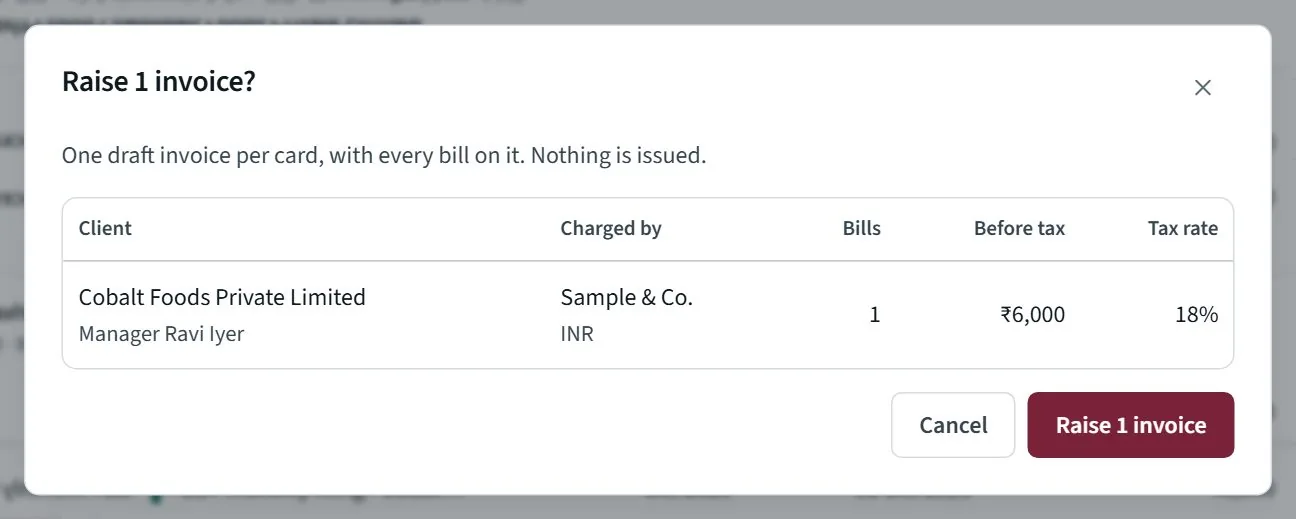 Raise all ready asks first.
- Check the list: one row per group, with its Bills, Before tax and Tax rate. Click Raise 1 invoice (the number matches the groups).
BiB lists What the run raised: "Draft created" with Open the draft for each group. Click Close when done. A group it could not raise stays on To raise with the reason after "Needs you", for example "no price on Payroll processing." Raise that group on its own.
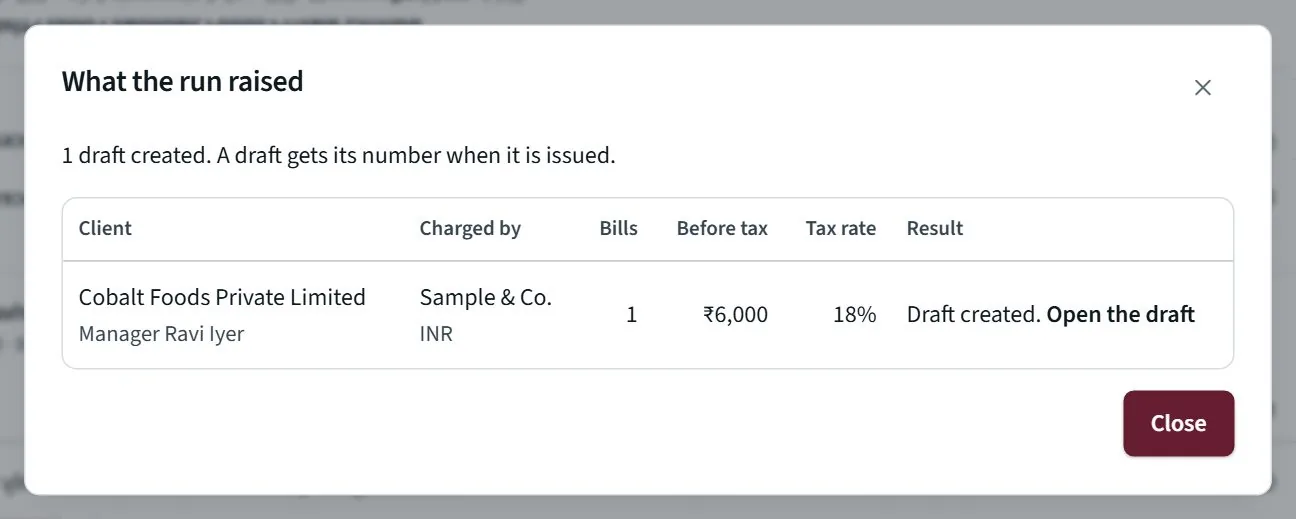 What the run raised.
Advance invoices are never part of a run. Raise each from its own group with Raise the advance invoice.
To see what happened to bills already handled, click Show raised and skipped at the bottom of To raise. What happened says "Billed on" with the invoice, or "Skipped:" with the reason.
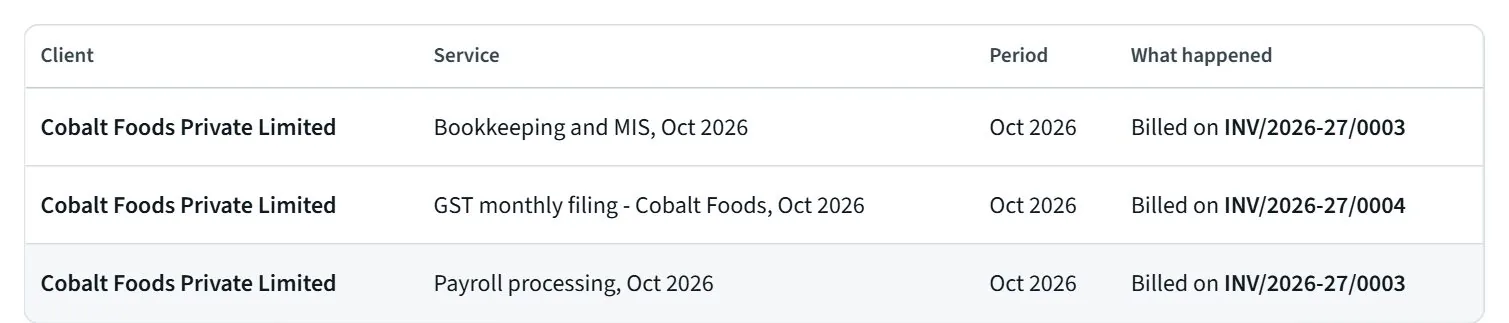 Raised and skipped bills, with what happened to each.
Skip a bill, or mark it already billed
Who can do it: Skip: partner or manager. Link: anyone who raises invoices.
Where: Billing › To raise , on the bill's row
To skip a bill the client will never be charged:
-
Click Skip on the bill's row.
-
In Why, write the reason, for example "Billed with the annual fee".
-
Click Skip this bill.
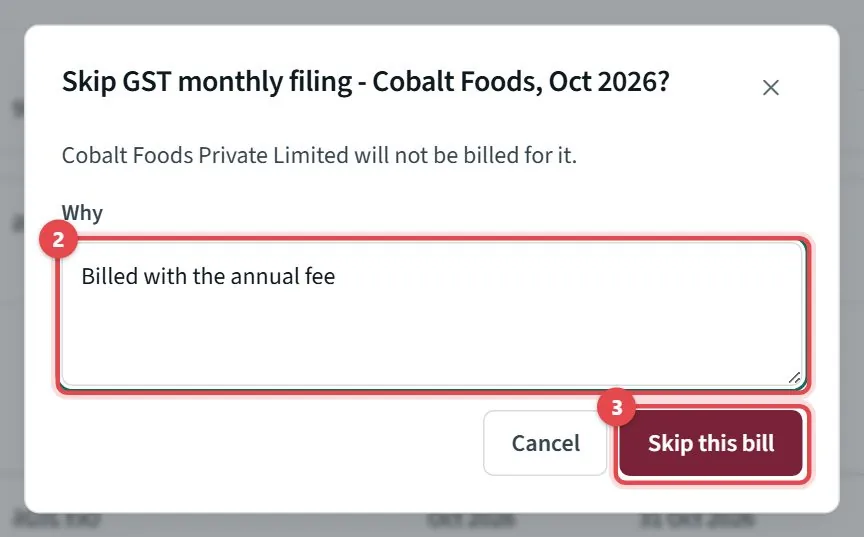 Skip, with the reason (2), then Skip this bill (3).
To mark a bill as already billed on another invoice, click Link, choose the invoice in Already billed on, and click Link.
Skip cannot be undone A skipped bill never comes back. If you skip the wrong one, raise that fee by hand on Billing › Invoices .
Bill finished work before its bill date
When a job is done before its period's bill date, you do not have to wait.
-
On the job's page, find the card Bill this work now: "The work finished on … Its bill is due on … You can raise the invoice today instead".
-
Click Bill now.
The bill joins To raise at once. The same jobs are listed on To raise under Work done before its bill date, each with Bill now.
For one-time work that has no process, To raise shows the card One-time work with no process. Click Raise invoice on it when the work is done.
| You see | Do this |
|---|---|
| "Automatic billing is off for this firm, so final bills are raised by hand. …" | Ask a partner to turn on automatic billing, or raise it by hand. |
| "This period's bill is already on the list. Raise it from To raise." | Go to To raise. |