Handle advances
Who can do it: Partner or manager; giving back an advance: partner
Where: Billing › To raise and Billing › Receivables , Advances to adjust
An advance asked for in the letter needs nothing extra. On signing, BiB drafts the advance invoice itself (or puts it on To raise with Raise the advance invoice if it has no tax rate). Issue it like any draft. Later bills then come off it.
An advance the client paid before any letter was signed is recorded on Receivables:
-
Under Advances to adjust, Taken before a letter, click Raise an advance.
-
Choose the Client and Charged by, and type the Amount before tax and Tax rate (%).
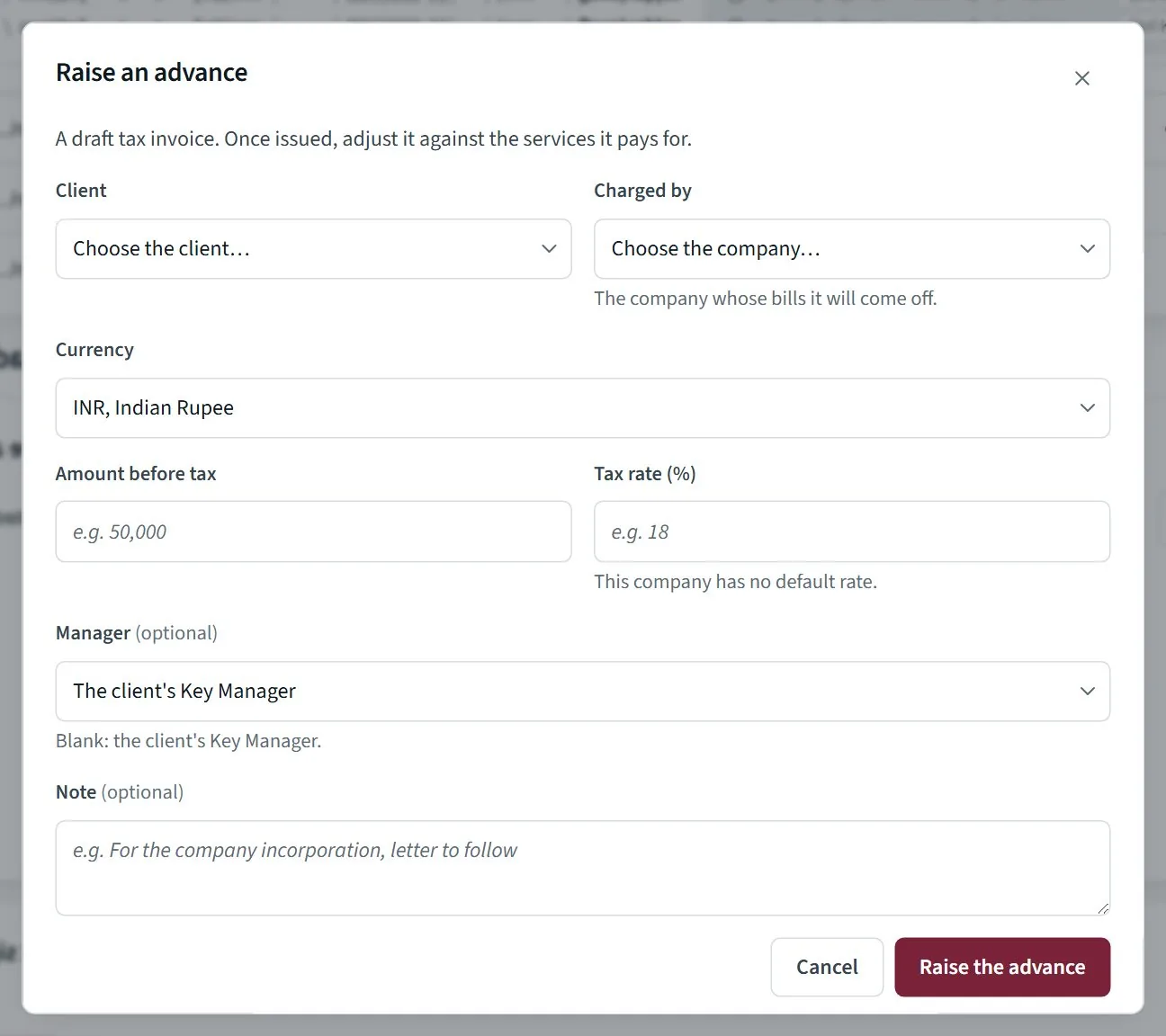 Raise an advance taken before the letter.
-
Click Raise the advance. BiB drafts the advance invoice. Issue it.
-
Once the letter is signed, click Adjust on the advance. Share it across the client's services and click Adjust it.
If the work ends with some advance unused, it shows on To raise under To refund. A partner clicks Give it back (BiB issues a credit note) or Keep it (with the reason).
An advance used up bill by bill Advance ₹20,000. The first two monthly bills are ₹12,000 each. The first bill is fully covered. The second shows ₹4,000 to pay.
An advance does not hold up the work Work starts when the letter is signed, paid or not.