Add a task by hand
Who can do it: Partners, managers and associates
Where: Work › Work board , New task
-
Click New task.
-
Optional: under Start from, choose a task template (2). It fills in the title, description, due date and checklist.
-
Choose the Client (3) and type What has to be done.
-
Choose Whose desk (4) and a Due date. Nobody yet leaves it on the Unassigned tab.
-
Tick Statutory deadline if the law sets the date.
-
Tick Show to the client (6) only if the client should see it on their portal.
-
Click Add task (7).
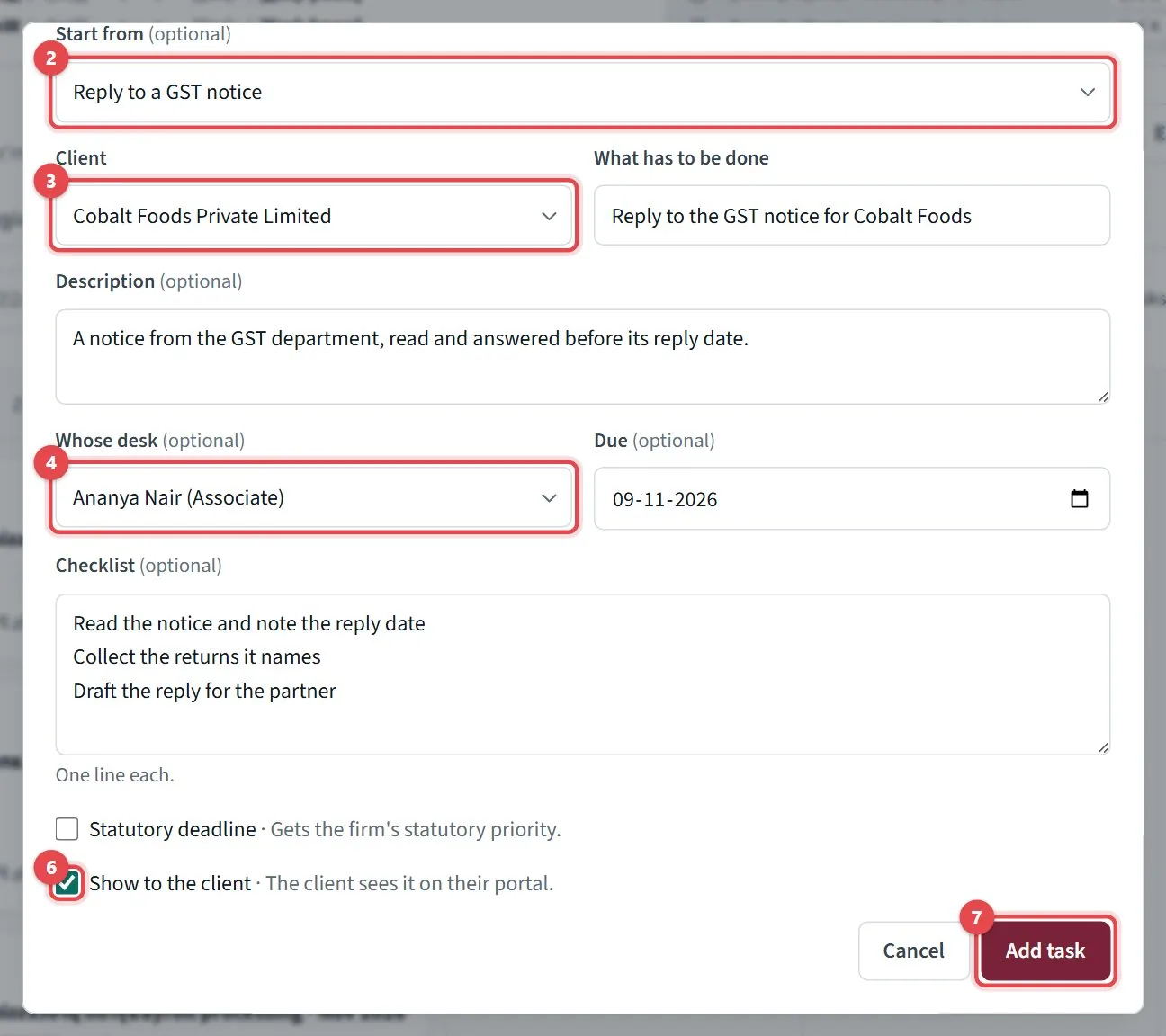 A new task from the template "Reply to a GST notice", for Ananya.
Note
A task added by hand has no job and no steps. It is not sent to the SPOC either: it goes to the desk you choose.