Finish a task
Who can do it: Partners, managers and associates. A task sent for checking is finished by the checker's Approve.
Where: the card's state circle › Completed, or the task's State
-
Choose Completed.
-
Read what the move still needs (2), for example "Checklist: 2 of 4 ticked." Do it in the sheet, then move the task.
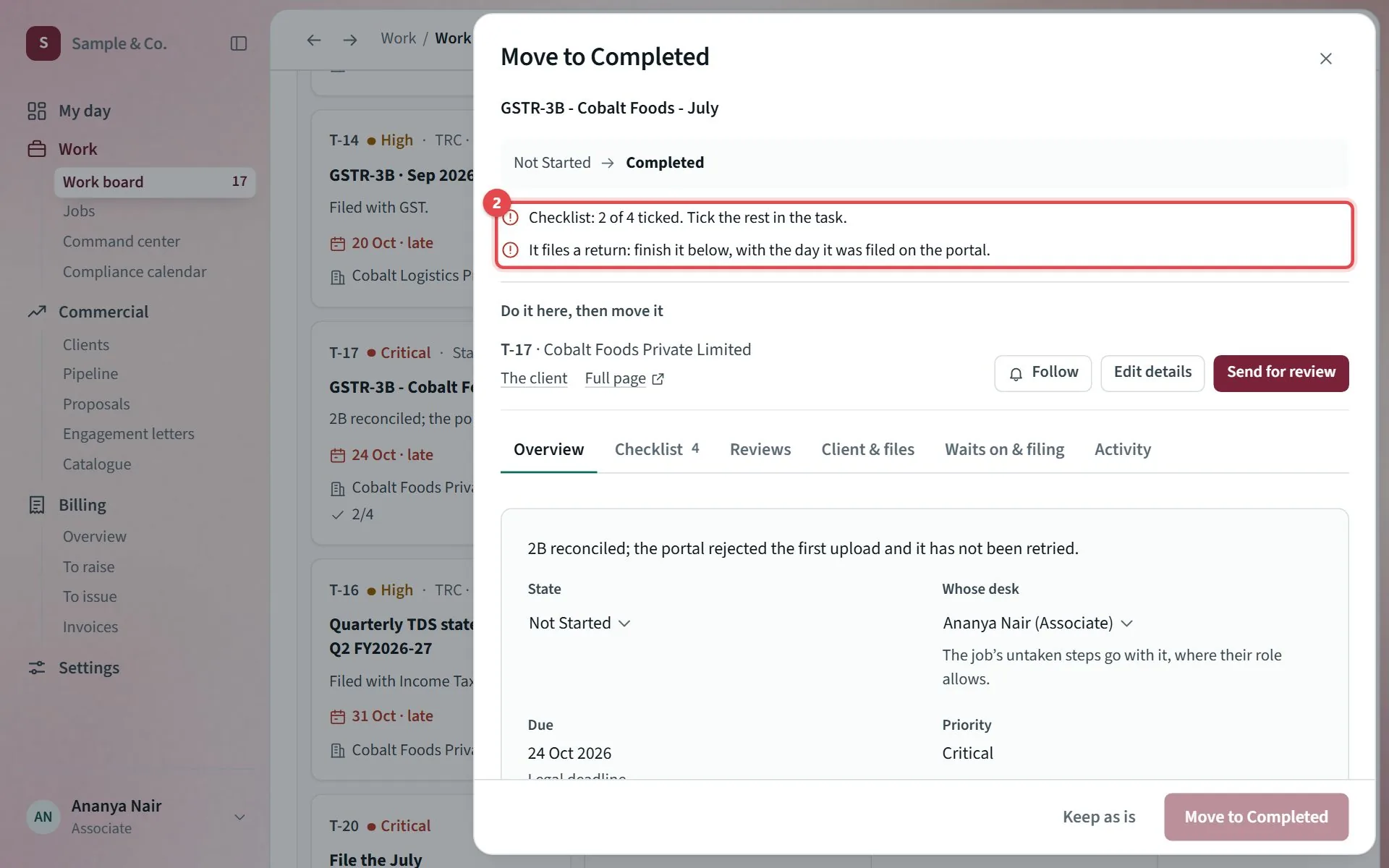 This task cannot be finished yet: its checklist is half done (2).
- If the task files a return, fill in Filed on the portal on and click Mark completed.
A task waiting for a check: let the checker finish it with Approve.
Watch out
A job's task finishes last. GST monthly filing · Oct 2026 can be completed only when every step of its job is done, and not before 1 Nov 2026, the day after October ends. Completing it also files October's open returns for that company; their own tasks then say "Filed by … This task can be closed."
| You see | Do this |
|---|---|
| "One checklist line is not ticked: … Tick them, or remove a line that does not apply, first." | Tick the line, or remove it. |
| "… steps of this job are not finished yet: … Finish them on the job page, or skip a step that does not apply, first." | Finish the steps on the job page. For a step that never applies, see "Work through a job's steps". |
| "This job is for a period that ends on … It can be marked done once that day has passed." | Wait for the period to end. |
| "This cannot be started while it is still waiting on … unfinished item(s)" | Finish the task it waits on first (see Waits on in the task). |