Send a task for checking
Who can do it: Partners, managers and associates
Where: the task, Send for review
Before you start: Every checklist line is ticked.
-
Open the task and click Send for review.
-
Read who checks it (2), for example "Checked under your firm's rule: A manager or above checks it."
-
Optional: type a Note for the checker.
-
Click Send for review (4).
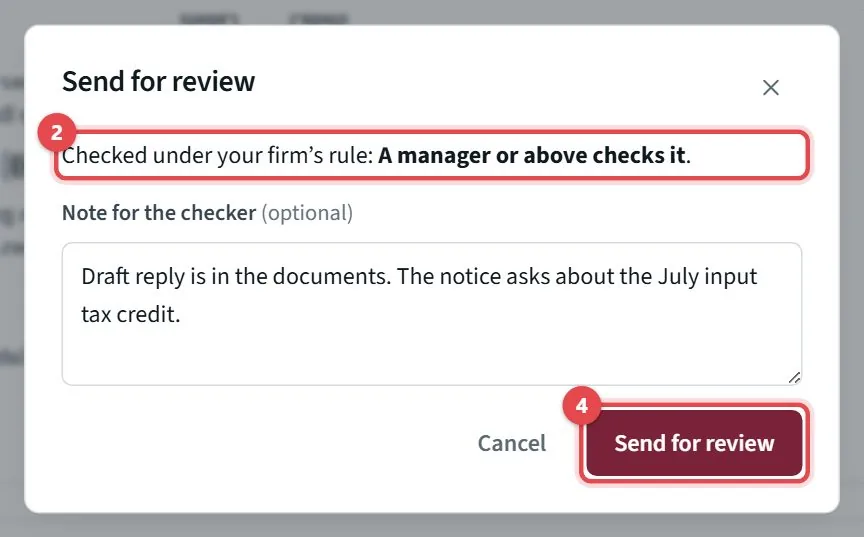 Sending the task to be checked.
The card now shows In review, and the task is on the checker's To check tab.
Nobody can check their own work. The person whose desk the task is on when it is sent is its maker. Open your own task and the Reviews card tells you so:
- *"You did this work, so you cannot be the one who checks it. Somebody else has to. This rule can
- never be switched off."*
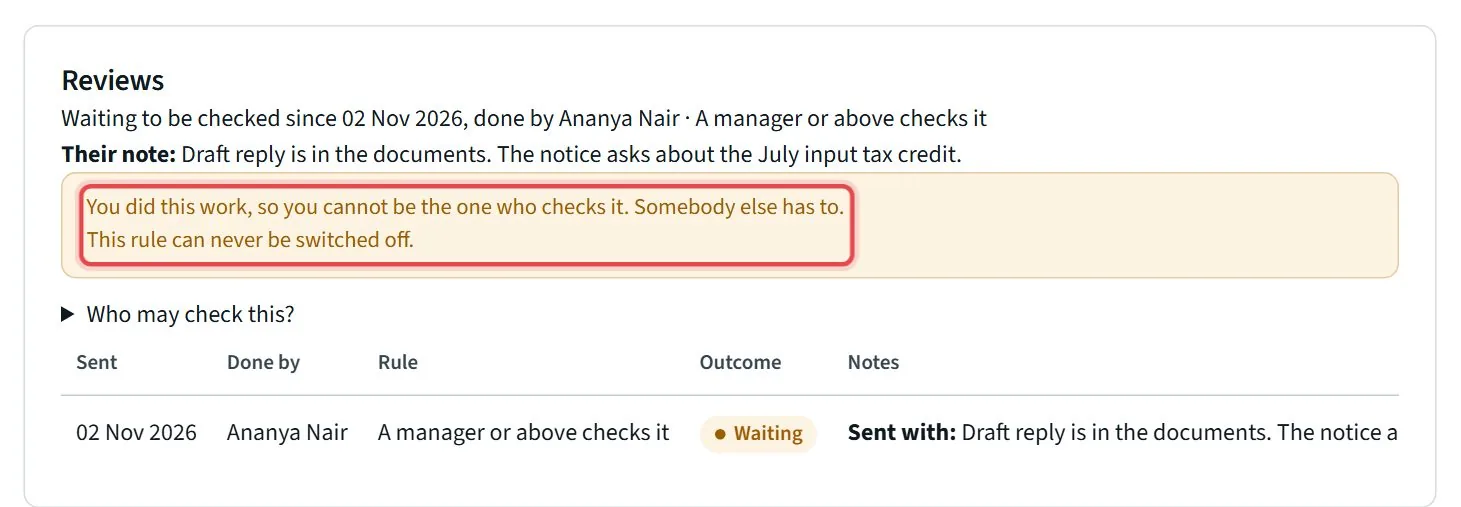 The maker's view of their own task under review.