Change a client's Key Manager or SPOC
Who can do it: Partners, managers and associates
Where: Work › Command center , the client, Change beside the person
-
Open the client in the Command center.
-
Click Change beside the Key Manager or a SPOC.
-
Choose Who should it be and From (3).
-
Click Change it (4).
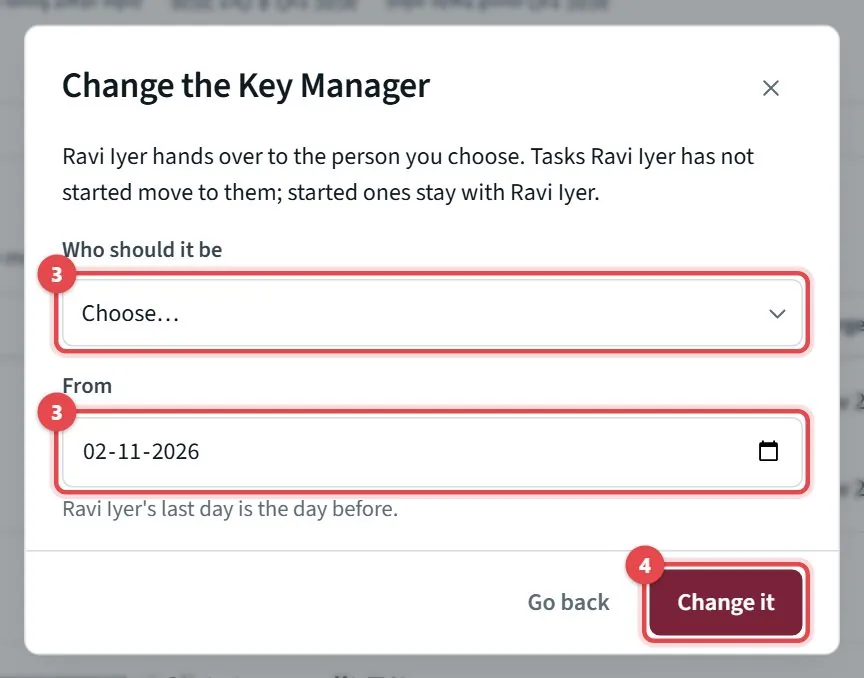 Changing the Key Manager. The text explains what moves.
Tasks the old person has not started move to the new one. Started tasks stay. Example: Ravi has four open Lakeview tasks and has started one; three move.
Good to know
A mistake made today? Keep today's date. BiB then treats the first person as never added, and all their work moves.